Ingestion Process
Last updated: September 9, 2026
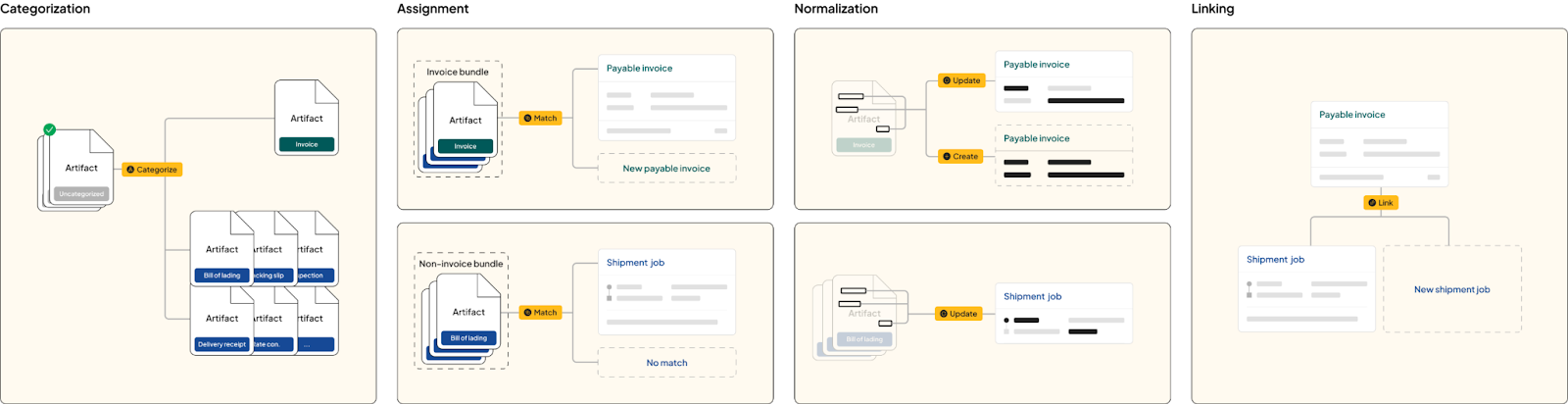
Loop processes documents from carriers and clients, transforming them into linked pairs of payable invoice and shipment job entities. Our ingestion process uses Data Beam, powered by DUX™ 2.0, to read, organize, and connect logistics information. Loop then conducts audits to help ensure accuracy and reliability, while providing clients with an intuitive platform to manage their operations.
Artifacts & Entities
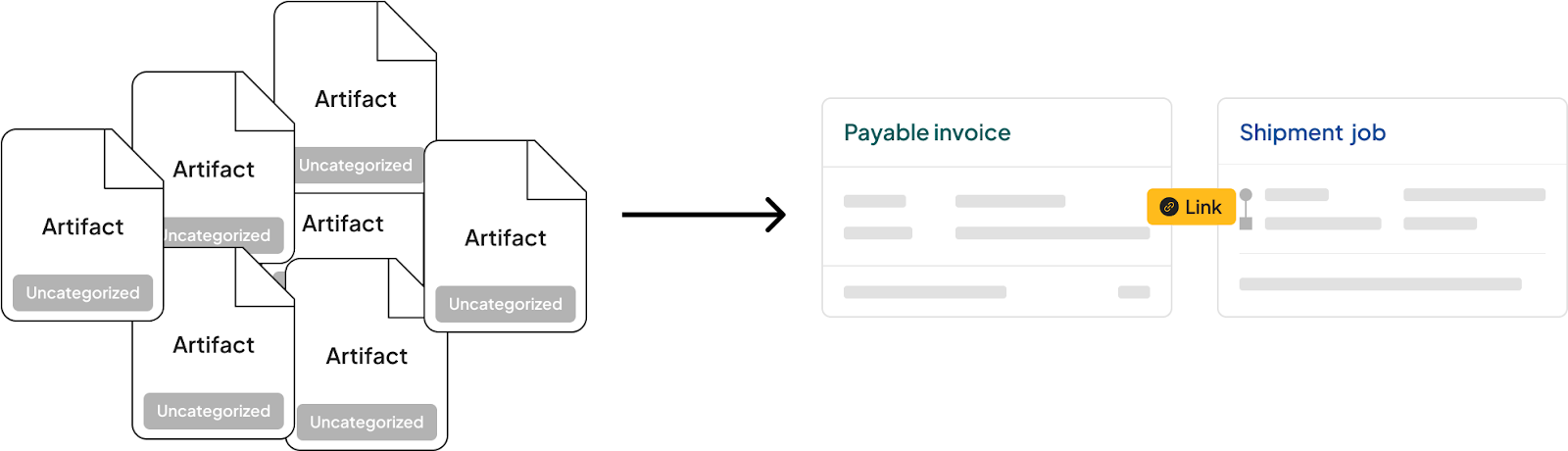
At Loop, we call the documents and data we receive from carriers and clients artifacts. We use the term artifact instead of document because it covers PDF files, images, API responses, and other inputs. Each artifact has a type and a format.
Common types: bills of lading, invoices, and delivery receipts
Common formats: PDF, JSON, and JPEG
To extract data from any artifact, Loop will first convert it into a PDF format.However, if we receive structured data, such as JSON shipment records through our API, Loop can utilize that data directly without requiring extraction.
Data Beam is Loop’s data ingestion and normalization engine. It processes these artifacts and, when extraction is needed, prepares their contents for structured data capture. DUX™ 2.0, Loop’s logistics-trained AI model, powers Data Beam and helps it understand logistics content and context.
To get the most out of these artifacts, Loop extracts data to create structured information called entities:
Payable invoice entity: Created from invoice artifacts, allowing clients to approve, pay, export, and more. Each invoice artifact is assigned to its corresponding payable invoice entity.
Shipment job entity: Created from artifacts such as shipment records and bills of lading. A shipment job represents a clear unit of work that can be audited, with relevant records assigned to it.
Processing Steps
Each artifact moves through the following steps. The exact path depends on the client’s configuration and whether the client uses a TMS.

#1 Screening
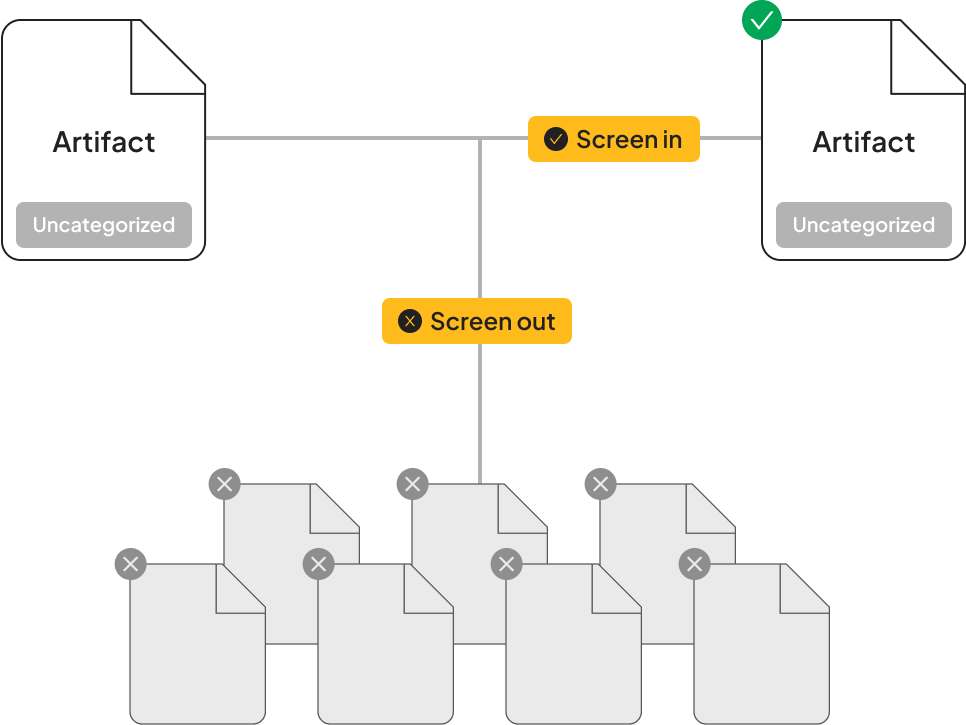
Loop examines the artifact and decides whether it should continue through processing. Screening can use factors such as carrier names and client-configured rules. Screened-in artifacts continue to categorization; screened-out artifacts remain in Loop but are not processed further.
Screening rules are configurable by the client. Only organizations that are in scope for a given client get screened in.
#2 Categorization
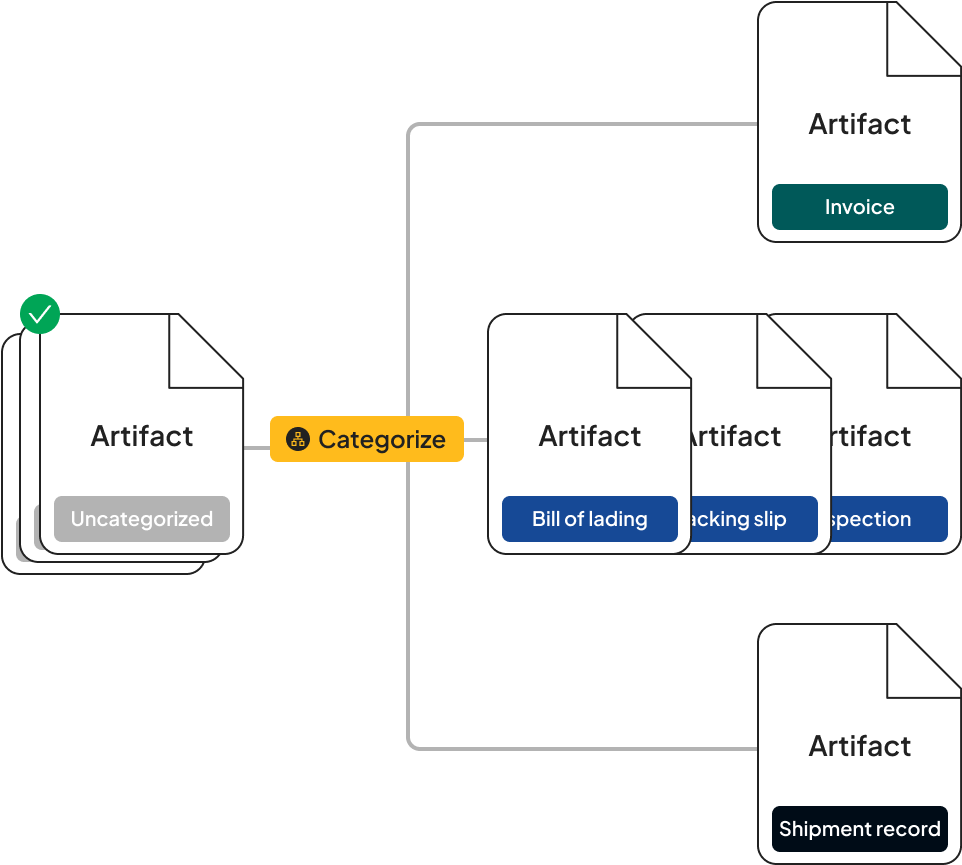
We categorize each artifact as one of our defined artifact types (invoice, bill of lading, delivery receipt, etc) through the categorization process. If an artifact is a multipage packet we categorize each page in the packet. If two pages following each other in the packet are categorized as the same type we check if they are continuations of each other or if they are standalone artifacts.
#3 Assignment
After an artifact is categorized we try to match it by assigning it to an entity, payable invoice or shipment job, that exists in our system already. The outcome of the assignment is either matched to an existing entity or "no match"
Invoice artifacts are assigned to invoice entities
all other artifacts are assigned to shipment jobs
The "no match" process is explained in the processing pipeline section below
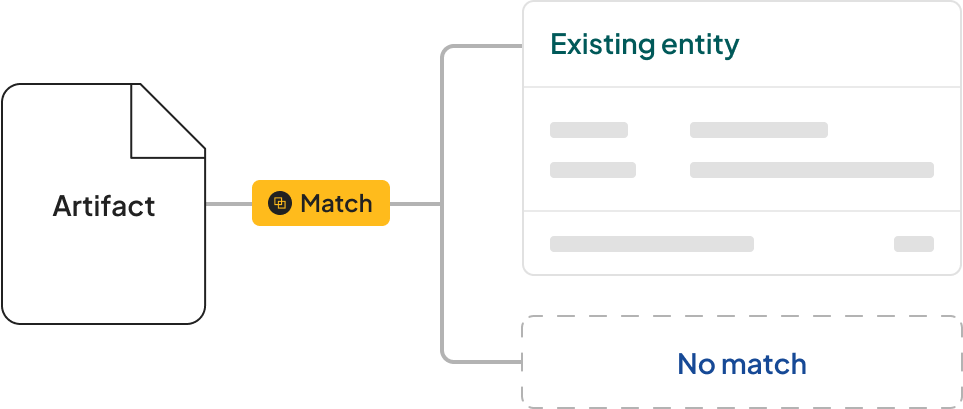
#4 Entity normalization
Data Beam uses information captured from an artifact to update an existing entity or create a new one. DUX™ 2.0 helps interpret logistics-specific content and context, while Data Beam organizes the information into the appropriate entity structure and applies validation before it is used downstream.
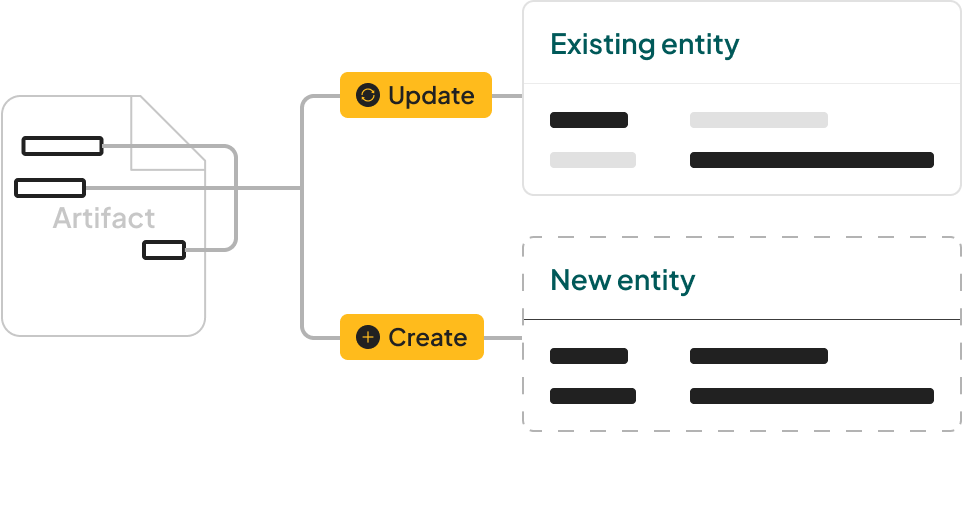
#5 Linking
After both the payable invoice and the shipment job entities have been normalized, Loop links them together.
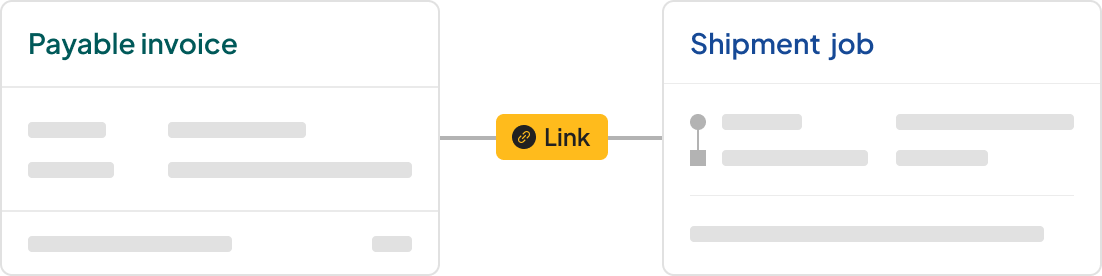
#6 Audit
The audit has two parts:
Document audit: based on client configurations we check for the presence of certain data points, artifacts, or matches of data points between artifacts on a job>invoice pair.
For example, we might check if a bill of lading is present, if the bill of lading number is present, and if it matches a certain number on the invoice.
Rate audit: we map the invoice line items to the expected charges and calculate a variance, whether and how much a carrier overcharges or undercharges for a given shipment job.
Processing Pipelines
The steps above come together differently for TMS and non-TMS clients. Data Beam supports the normalization portion of both pipelines and helps prepare connected records for downstream audit and payment workflows.
TMS clients
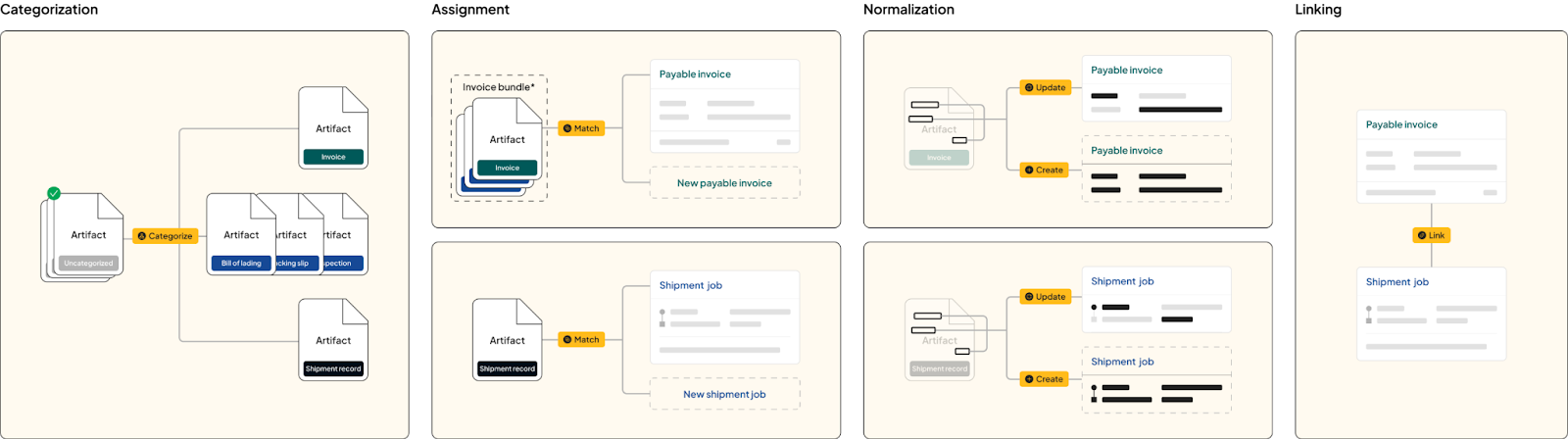
Artifacts are categorized
Assignment
Invoice bundles are assigned to invoiced
New invoice entity is created upon no match
Shipment records and non-invoice bundles are assigned to shipment jobs
Only shipments record artifacts create a new shipment upon no match, other artifacts do not create a shipment and are left unassigned
Normalization
Data Beam uses the assigned artifact information to create or update payable invoice entities and shipment jobs. DUX™ 2.0 helps interpret logistics-specific content and context during this process.Shipment records create or update shipments
Linking
Payable invoice entities and shipment jobs are linked.
Non-TMS clients
Artifacts are categorized
Assignment
Invoice bundles are assigned to invoiced
New invoice entity is created upon no match
Non-invoice bundles are assigned to shipment jobs
No shipments are created upon no match
Normalization
Data Beam uses invoice artifacts to create or update payable invoice entities and uses non-invoice artifacts to update shipment jobs. DUX™ 2.0 helps interpret logistics-specific content and context during this process.
Non invoice artifacts update shipments
Invoice entities and shipments are linked
If no matching shipment job is found for an invoice entity, a new shipment is created from the invoice entity and artifacts within the invoice bundle, such as the bill of lading.