Parcel Invoice Approval Update
Last updated: September 22, 2026
Starting September 22, 2026, Loop is updating the parcel invoice approval experience. You can now review individual charges, edit the amount to approve, update cost allocation, and approve the invoice from the same workflow within the Manage Shipments page.
What's changed
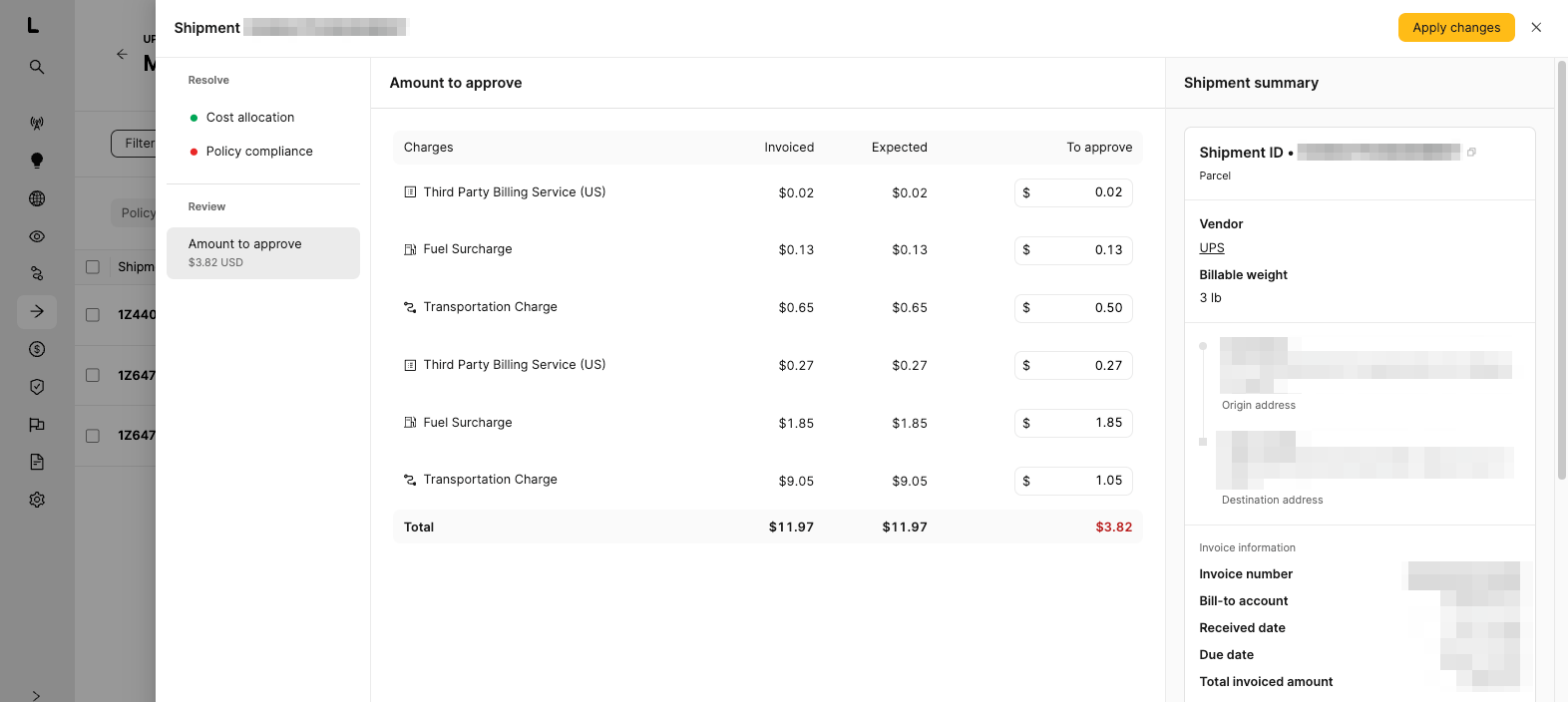
Individual charges are shown on the invoice, so you can see more detail on what was billed.
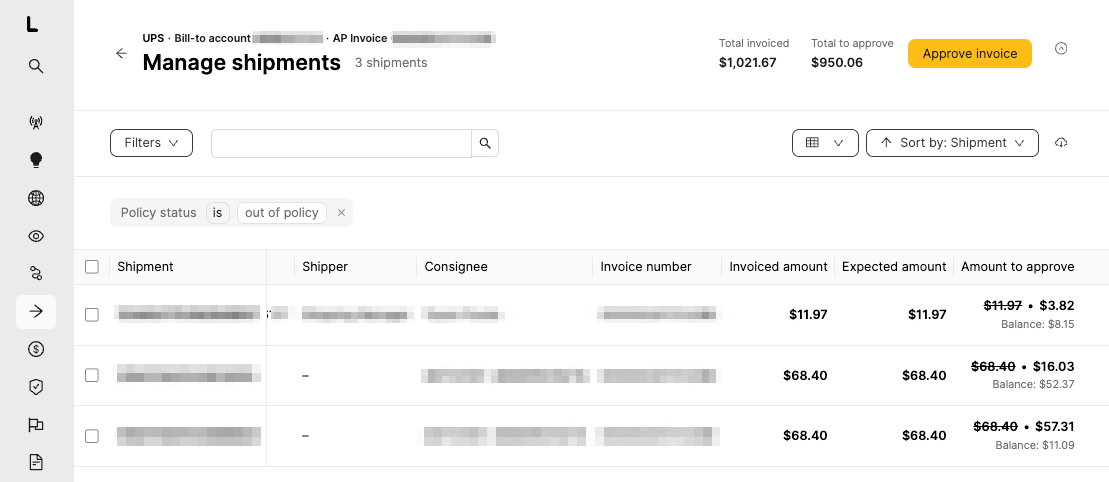
Manage Shipments now includes an "Amount to approve" column and a running balance.
For supported parcel and consolidated invoices, you can reduce permitted charge amounts before approval.
Charge review, any available adjustments, and invoice approval are handled in the same workflow.
How to review and approve an invoice
Open Manage Shipments and select the invoice you want to review.
Review the individual charges. Compare the invoiced amount with the expected amount and check the amount to approve.
If adjustments are available, update the amount to approve for the applicable charge. The running balance updates as you make changes.
Review the total amount to approve.
Select Approve invoice.
What you'll see
The Manage Shipments list shows the invoiced amount, expected amount, amount to approve, and running balance for each shipment.
Open an invoice to review each charge. Where available, you can edit the amount to approve before approving the invoice.
If you don't see the adjustment option
Amount adjustments are available only for supported invoices and accounts. If you need this capability and do not see it, contact your Customer Success Manager.
If Loop approves invoices for you
No action is required. Loop-managed approval continues as before. You may simply see more detailed charge-level information.