Placing Holds on Invoices
Last updated: April 7, 2025
What does On Hold mean in Loop?
Traditionally, Loop has used exceptions to manage invoices that should not be immediately paid for any reason. However, to more accurately reflect their statuses, users will now be able to directly place an invoice on hold separately from the exception, and "On Hold" will be reflected as a review status, similar to "Approved" or "Review Incomplete."
This process clarifies in Loop that these payables are waiting for additional information to help you make an approval decision. In these cases, you can place a hold on an invoice, and any further action on the invoice (approval, payment, etc.) will be blocked.
Future development on this feature will allow for holds to be placed across groups of invoices - for example, placing a carrier on hold if they are out of compliance.
How can I place invoices on hold in Loop?
To place an invoice on hold, simply click the three dots next to the approval button and select Put invoice on hold. This option is also available when viewing a payable in the side panel from a shipment page. After choosing to put the invoice on hold, you will be given the option to enter any additional information, and this note will show up in the activity log.
In cases where the invoice is already approved, you will need to reopen review of the invoice before placing it on hold.
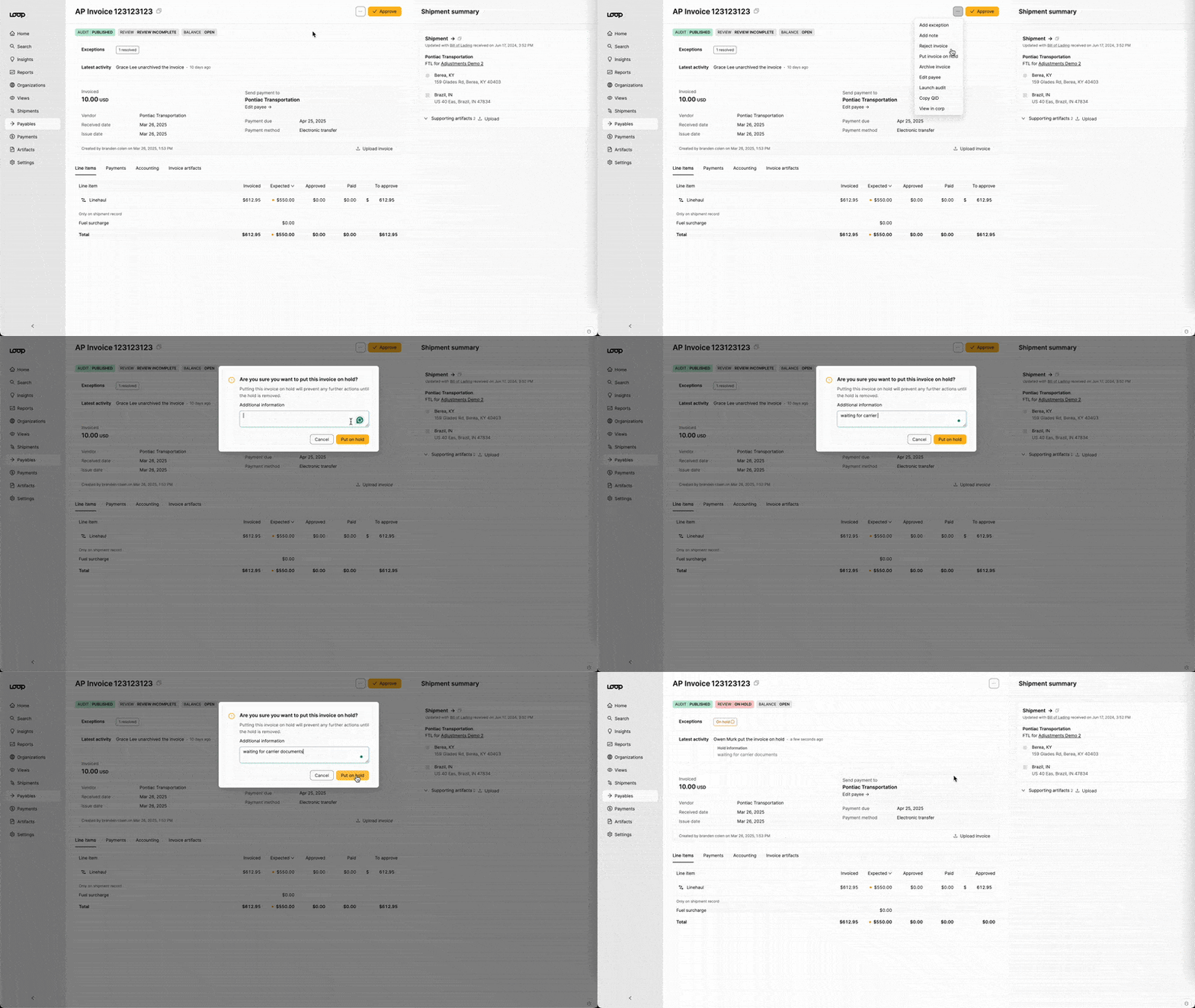
Once the invoice is on hold, Loop will change the review status to reflect 'On Hold', and you will not be able to approve the invoice.
How can I remove holds from invoices in Loop?
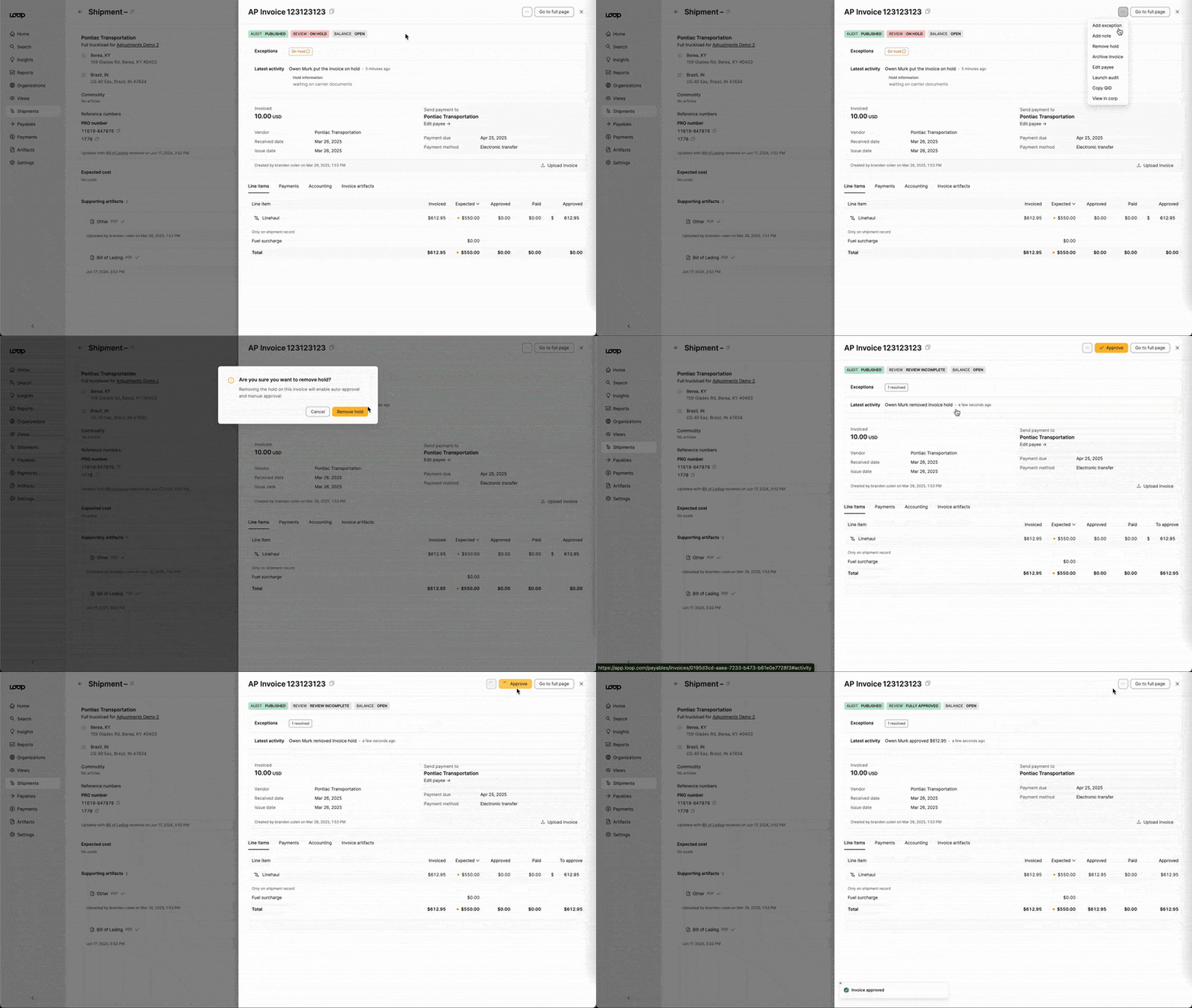
To remove the hold, click the three buttons and choose Remove Hold. Once removed, you will be able to make an approval decision.
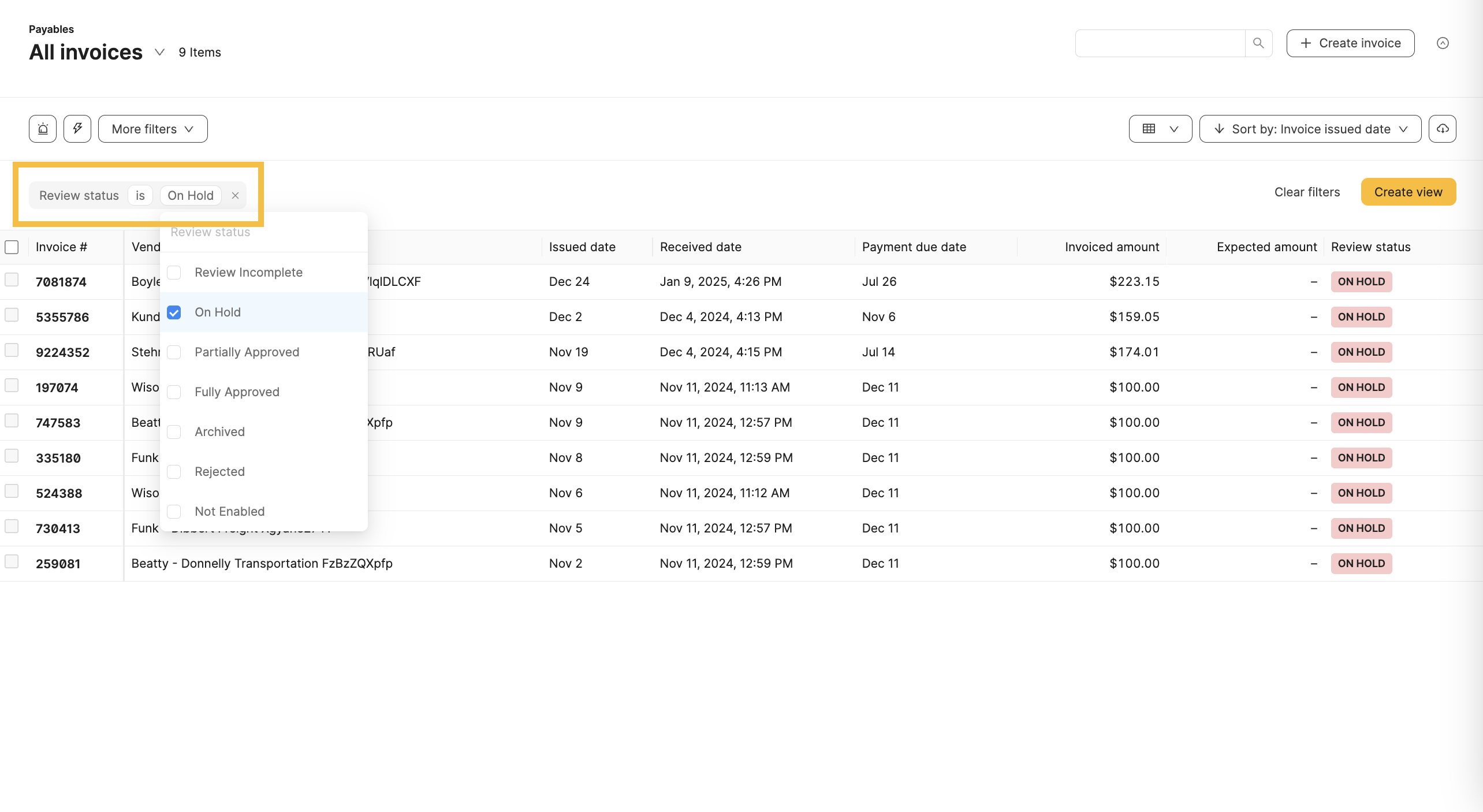
How do I find invoices that are on hold?
By utilizing filters on the payables table or a specific view, you can find all invoices that are on hold. Loop will update any filters on existing views to reflect the new review status rather than the exception.