Viewing Payments in Loop Connect
Last updated: March 17, 2025
With Loop Connect, carriers and factors who are paid through Loop can view all confirmed payments, their statuses, the specific invoices paid on each payment, and their remittance details.
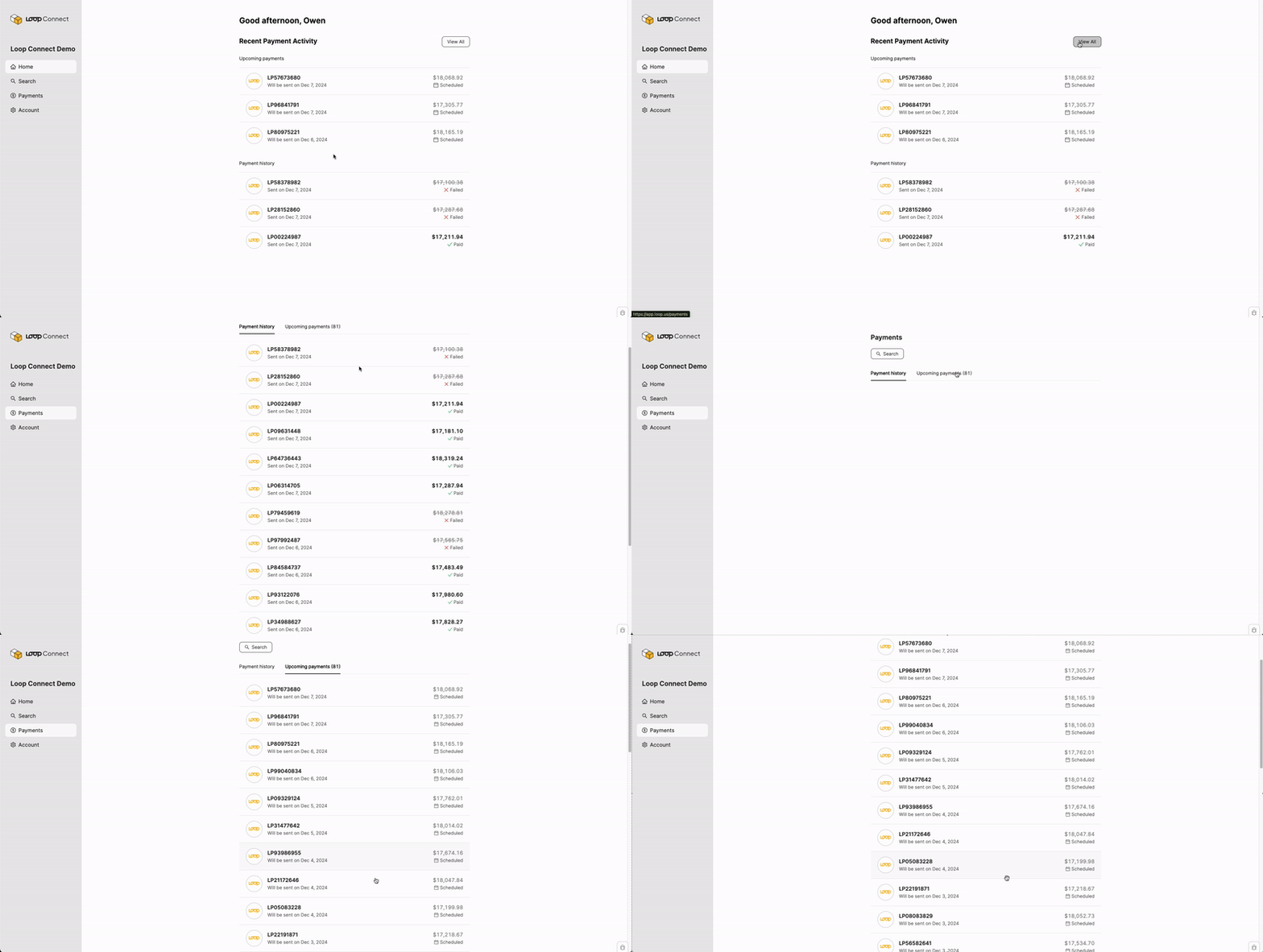
The Loop Connect home page displays the organization's most recent payments and the next confirmed payments. Selecting View All shows one tab for the full payment history and a second tab for upcoming payments.
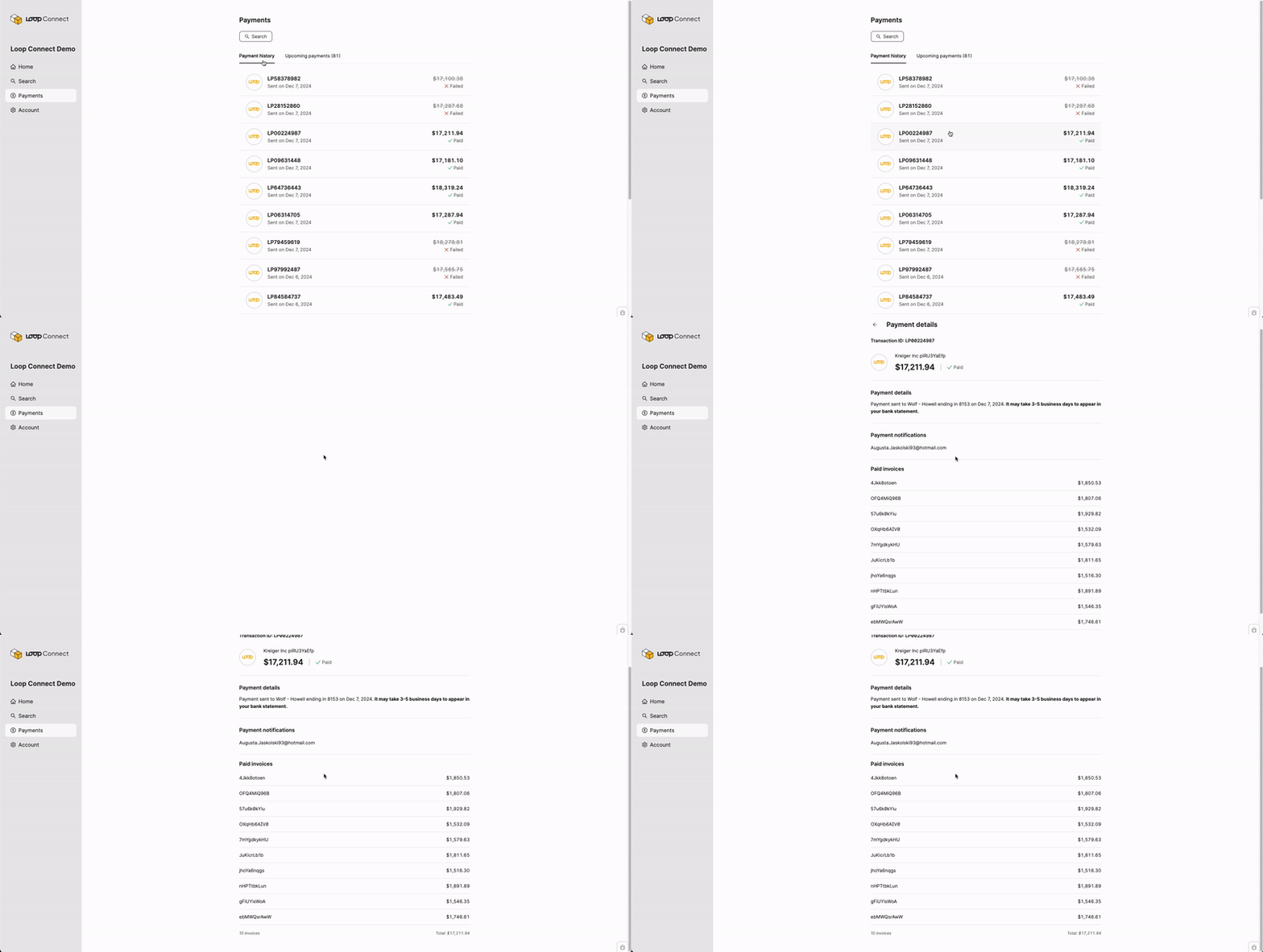
Clicking on an individual payment will reveal more detailed information, including the target bank account, the email address to which we will send the remittance, and each invoice included.
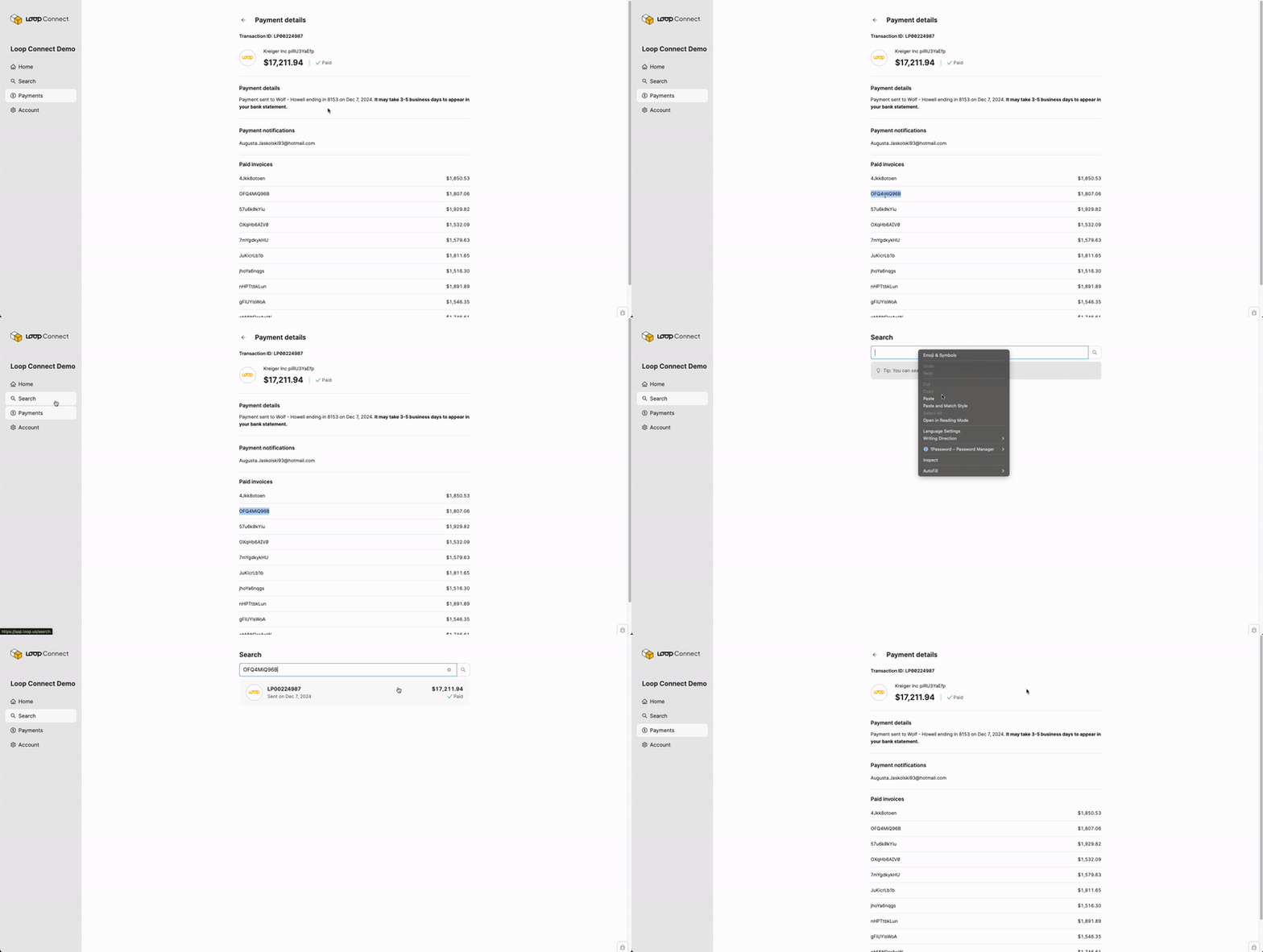
Any payment can be found by searching the transaction ID or any invoice number included on the payment.