Policies - Control Tower and Compliance Analytics
Last updated: October 29, 2025
Control Tower
Control Tower is your home page in Loop, showing you a birds-eye view of your transportation spend and volume. We built the Control Tower to provide you with:
Centralized visibility: A single command center, providing instant visibility into a transportation network's financial and operational health
Actionable intelligence: Move beyond complicated spreadsheets to make smarter, faster decisions with easy access to supporting data
Demonstrable ROI: Quickly and easily identify what ROI Loop is driving from a financial and business outcome standpoint
Flexibility: Align policies to the requirements of the business to drive meaningful audits and validations that are automatically displayed in modern, extensible dashboards
Exception simplicity: Eliminate time wasted on unnecessary exceptions and focus on the ones that ensure audits and payments run smoothly
What can I see in my control tower?
At the top of the page, you will see four headline metrics:
Total spend
The total amount across all invoices
Excess spend detected
Potential excess spend that Loop has identified but is pending an approval decision
Excess spend avoided
Excess spend verifiably prevented through our checks and policies in Loop’s system
Risk control
A measure of how exposed your spend is based on the dollar amount associated with policy failures
The default date range for all data is the past 90 days. You can use the dropdown in the top right to change this to the past 12 months.
Below this header, you can access more granular measures of your spend. We break this down into two tabs: Excess Spend and Risk Control.
Excess Spend
For all the spend that goes through Loop’s system, we have various checks and policies in place to determine whether or not it is excess spend. These excess spend detected and avoided numbers are then shown for 4 key breakdowns:
Duplicates
Overcharges
Missing artifacts (Freight only)
Contract non-compliance (Parcel only)
Working with excess spend data
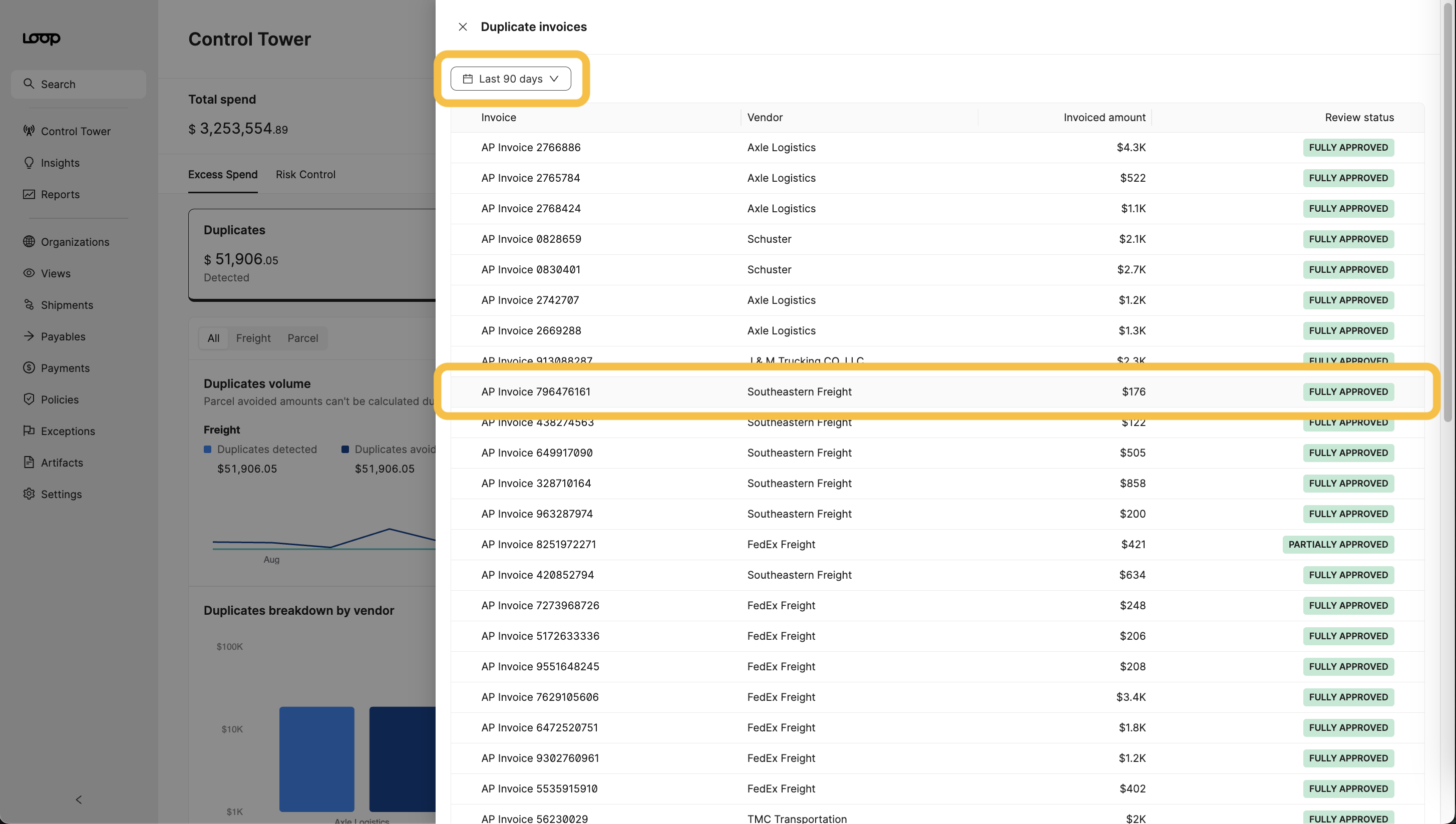
All charts in the excess spend section can be drilled into to find specific invoice examples of problematic spend cases.
By clicking View all or View invoices on any chart, you can access an interactive version of that chart.
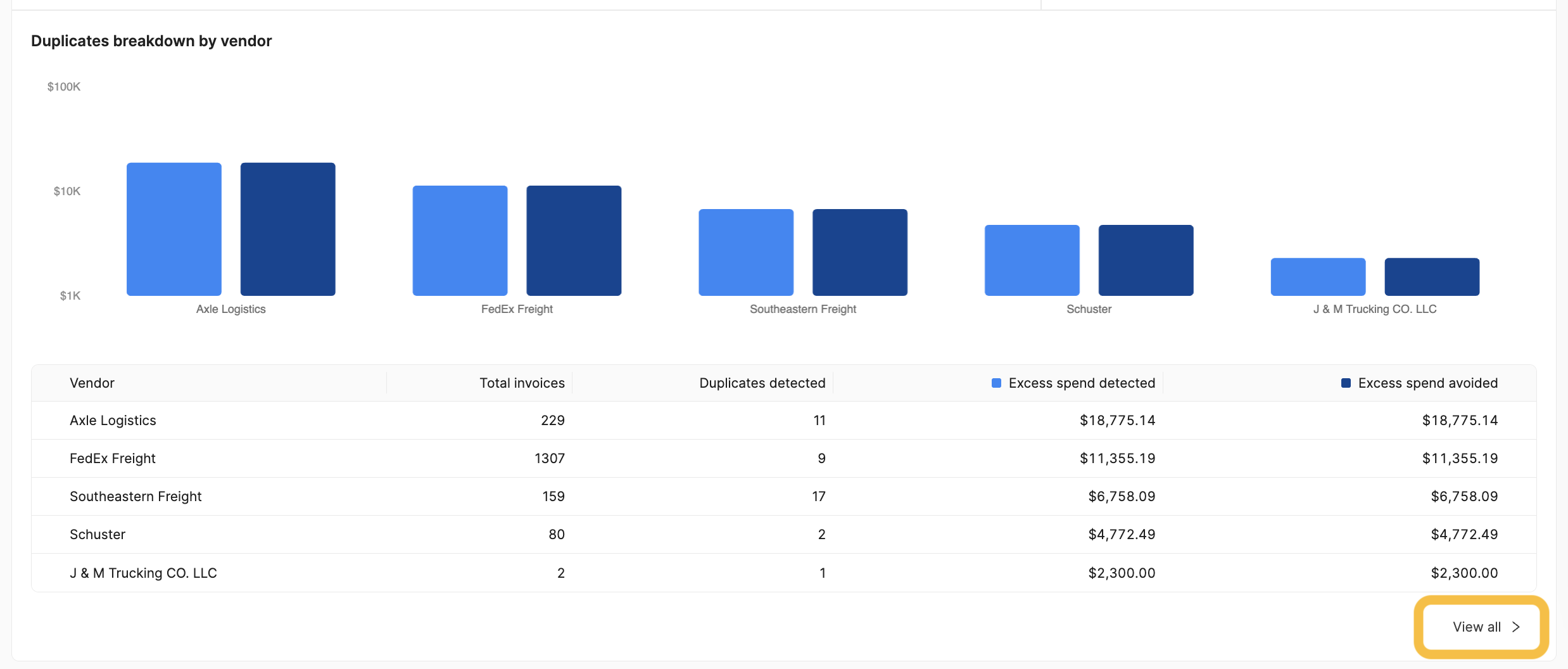
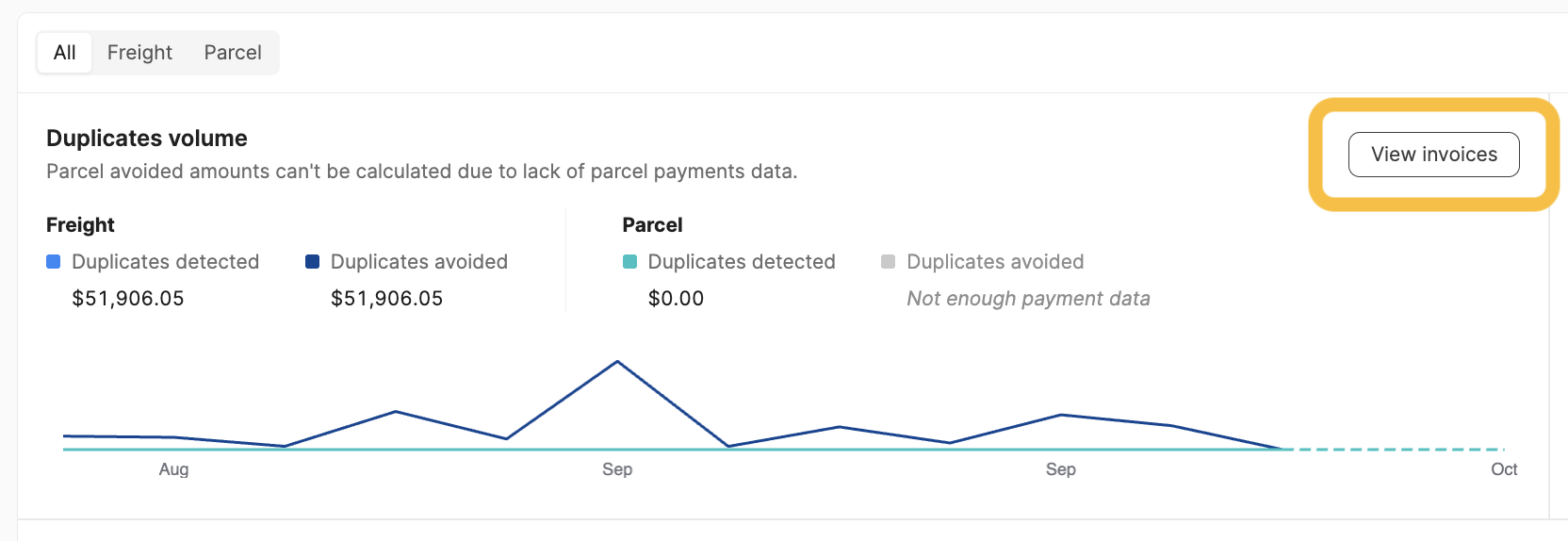
In each drill-down, you can change the date range for the data and click on any individual invoice to be taken to that payable page in Loop.
Risk Control
Risk Control displays your spend distribution across risk levels - high, medium, and low - which correspond to poor, fair, and good business policy compliance respectively. The three business policies with the highest risk (lowest compliance percentages) are highlighted for quick visibility.
Calculating Compliance
For each policy requirement, Loop checks how many of each requirement have been passed or failed in the last 30 days and reports the percentage that passed.
Policy compliance is considered:
🟢 Good if it has passed more than 85% of the time
🟠 Fair if it has passed between 55% and 85% of the time
🔴 Poor if it has passed less than 55% of the time.