Views
Last updated: June 2, 2025
Views
Views are customizable “shortcuts” shaped to your organization's needs. Users will be easily directed to the specific page with the designated filters by selecting views. Views are synchronized across the whole organization.
On the main screen, you will see the views under different categories: Shipments, Artifacts, Payables, and Organizations.
How to create a View
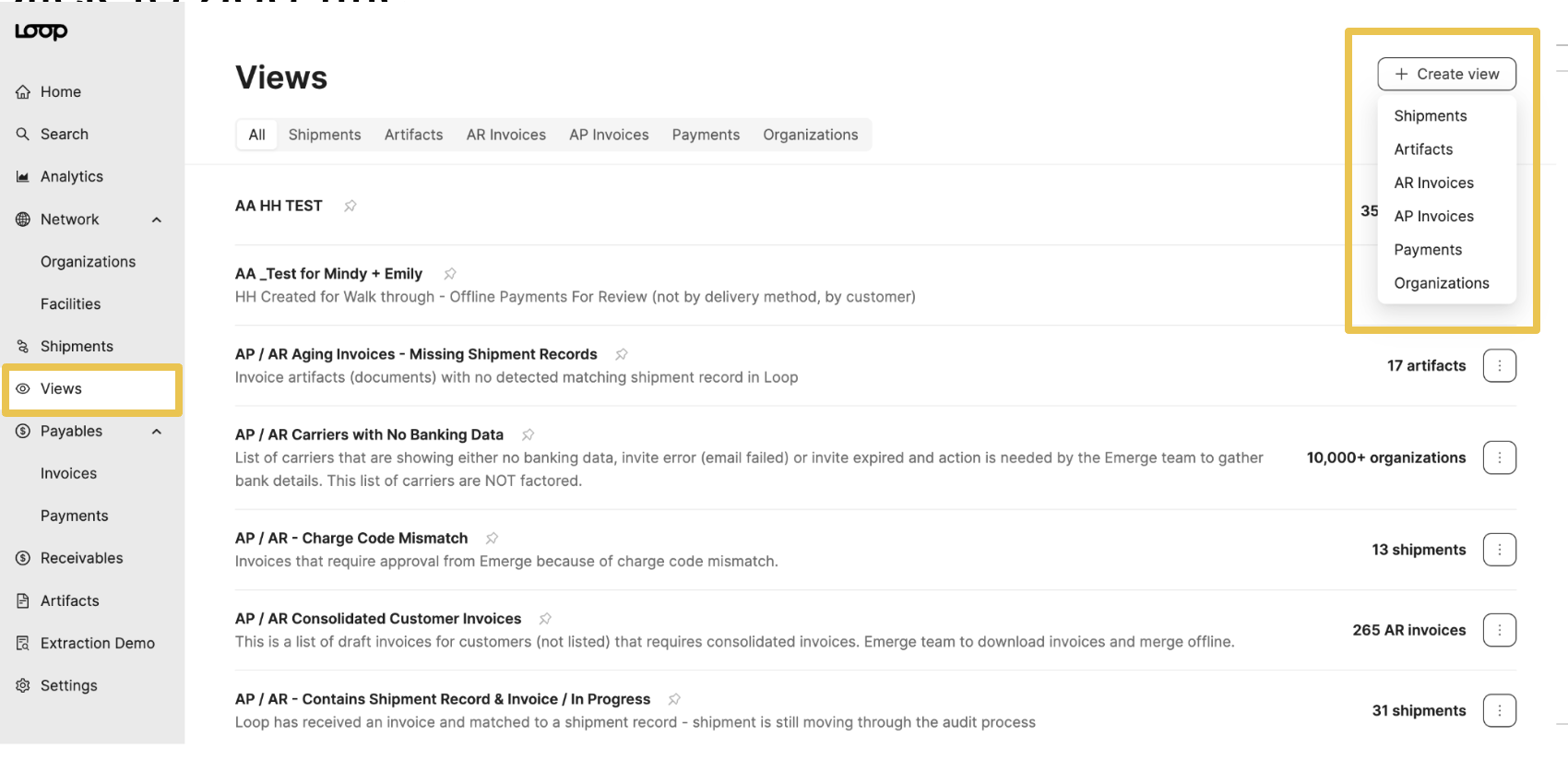
Navigate to the Views tab on the left-hand panel. On the main page, select the + Create view. A drop-down will appear to select the view type.
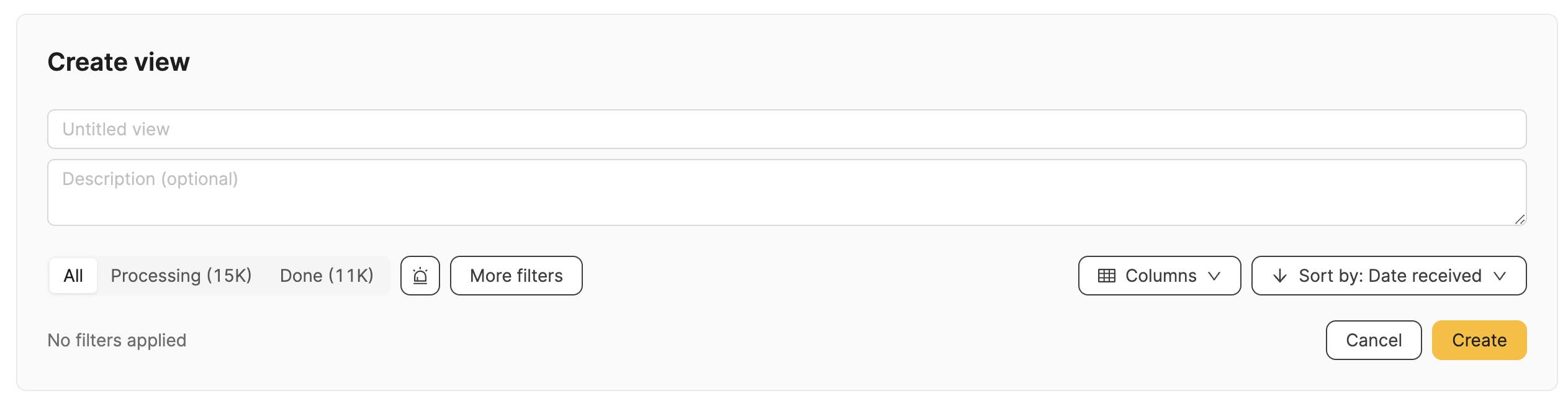
Next, add a title and description. You can also add more filters to create a more specific view. Click "create" to save.
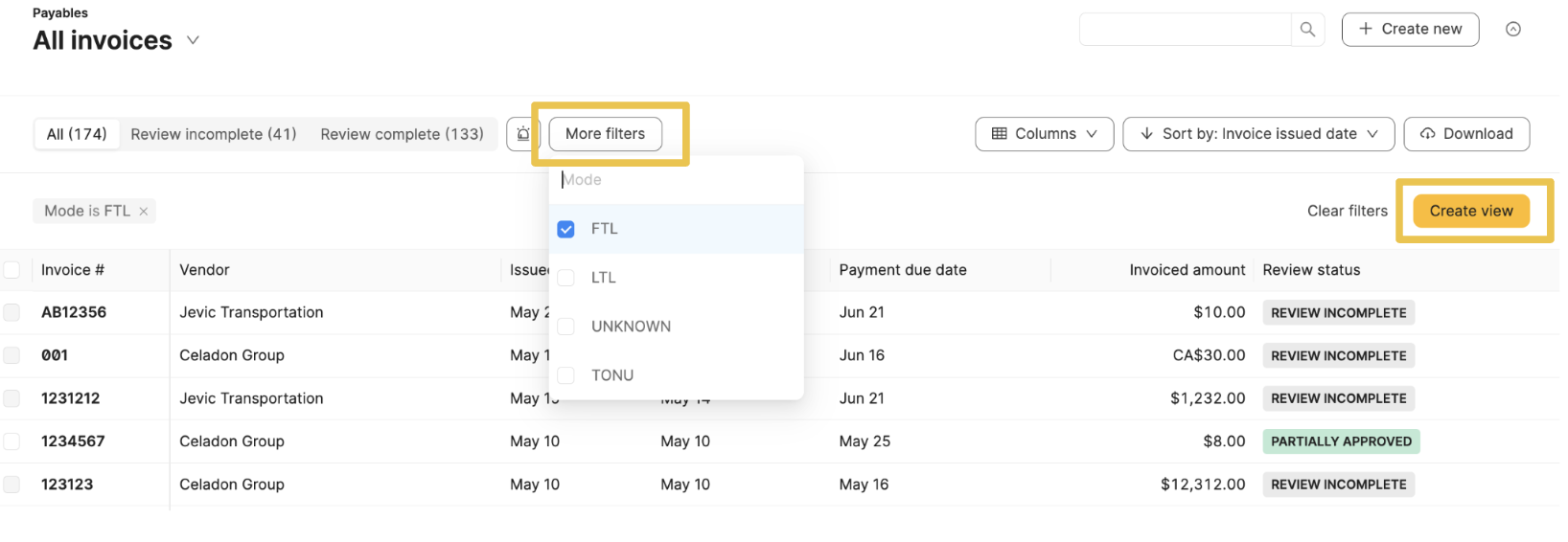
You can also create a view on any main table, such as Payables, Shipments, Payments, and Organizations. First, select the filters you would like to include in the View. Next, the create view button will appear in the upper right-hand corner. Click the button to add a title and description. Submit create to save the View.
Edit or Delete a View
Navigate to the View Tab and select the three-dot button on the right side to edit or delete the View. Select the thumbtack symbol next to the title to pin the view to your homepage to create a personal shortcut.
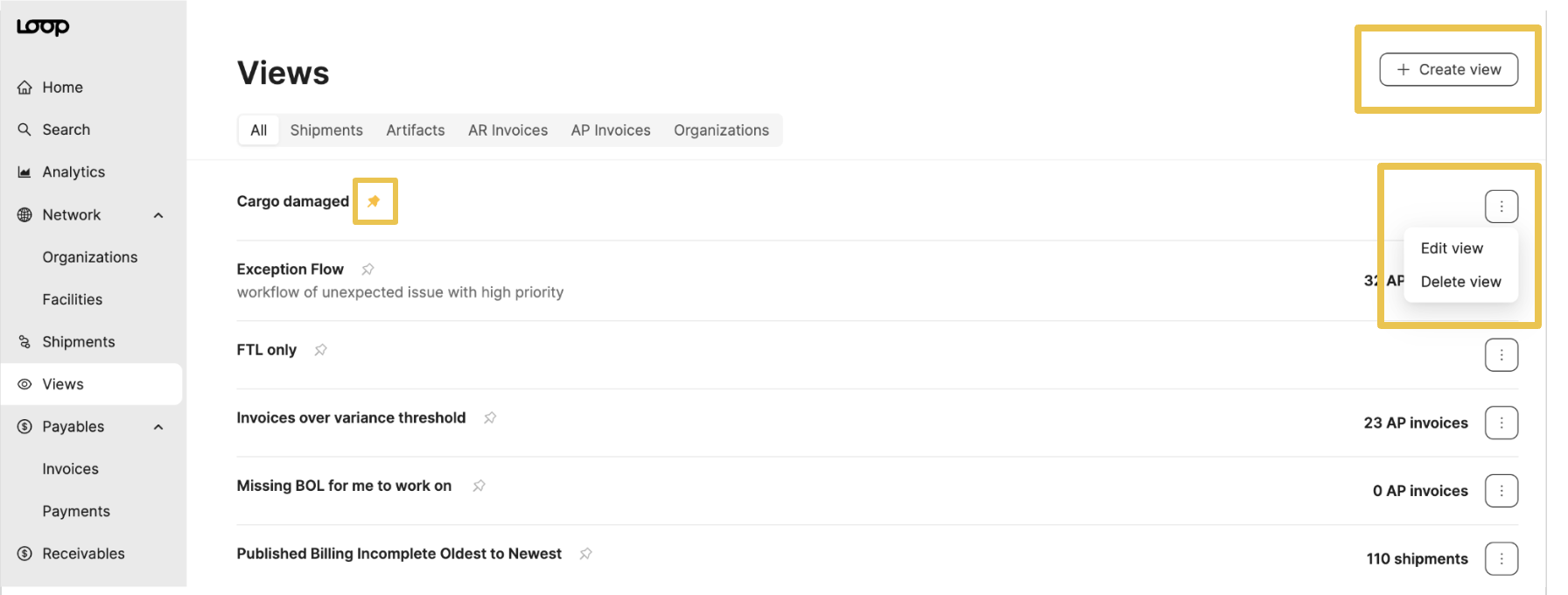
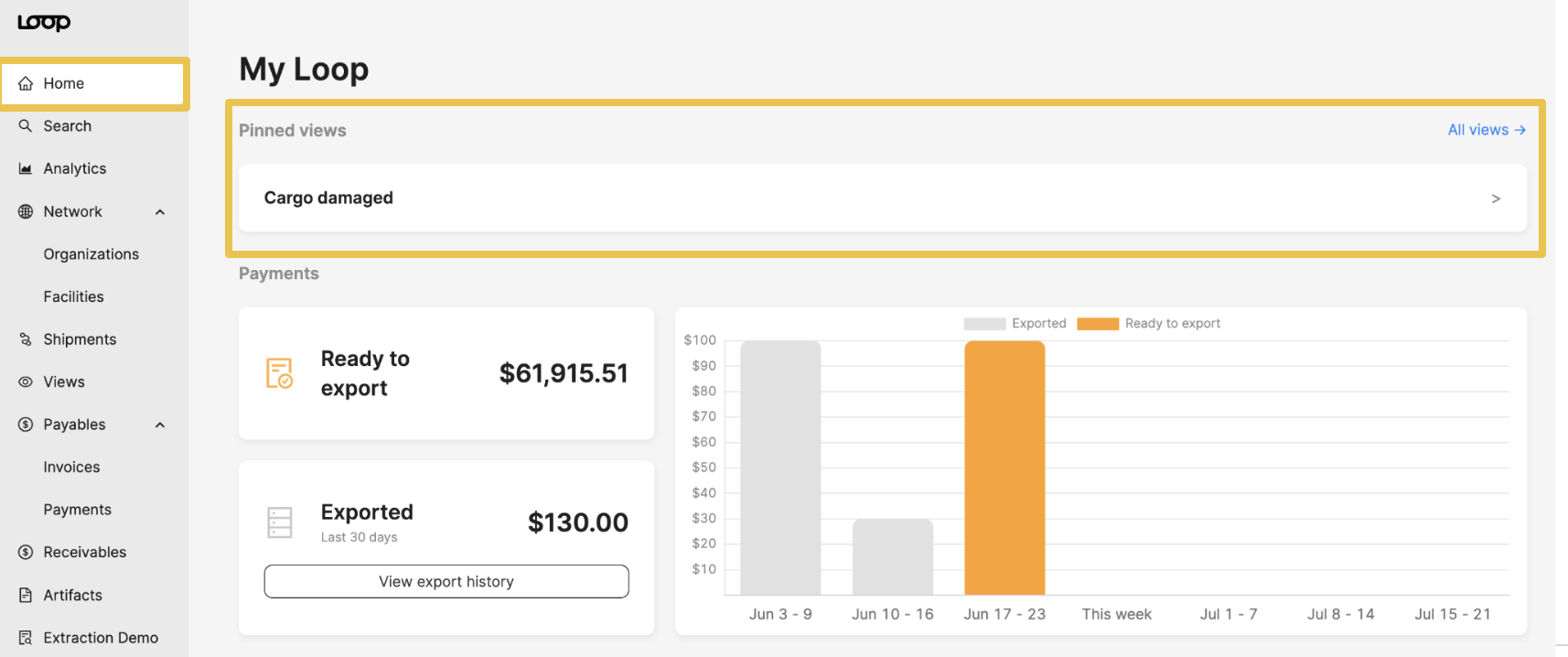
Views are universal and seen by all users. Pins are personal and only seen on specific user's Homepage.