Parcel Alert Center
Last updated: April 10, 2026
Your early warning system for billing and delivery exceptions
What It Is
The Alert Center is where you catch problems before they become expensive. It surfaces billing exceptions, delivery failures, potential fraud, and tracking anomalies — organized so you can see what's happening, understand the financial impact, and take action.
Best for answering: "What do I need to pay attention to this week?"
Who should use this: Freight audit and AP teams, operations teams tracking delivery failures, and finance teams watching for fraud or duplicate charges.
Filters: Use Report Controls in the top right to update the date range and filters on this page.

Exception Charges Tab
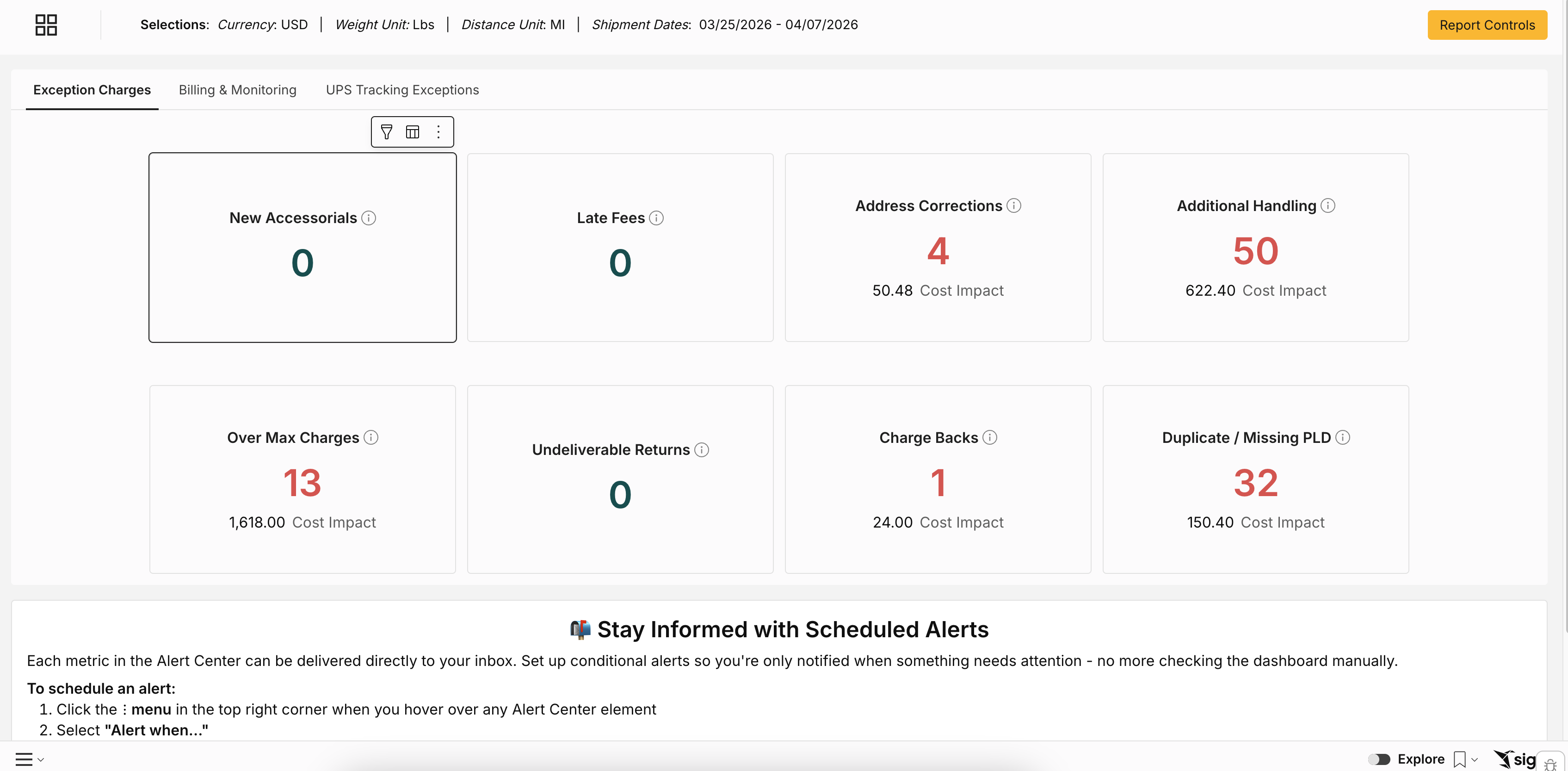
This tab surfaces charges that are unusual, new, or avoidable — things that may indicate a process problem, a carrier error, or a cost you can recover.
Alert type | What it means | Why it matters |
New Accessorials | Charges invoiced for the first time in the selected date range | Carriers sometimes add new fee types quietly — this catches them early |
Late Fees | Charges for overdue payments | Flags avoidable fees caused by payment timing or invoice delays |
Address Corrections | Charges for correcting incorrectly submitted addresses | High volumes signal a data quality issue in your order system — fixing the root cause eliminates the charge |
Additional Handling | Charges for oversized, overweight, or improperly packaged items | Identifies when packaging or dimension standards are driving extra fees |
Over Max Charges | Charges when a package exceeds carrier size/weight limits | May indicate a SKU or packaging issue that could be resolved upstream |
Undeliverable Returns | Charges for packages that couldn't be delivered and were returned | High volumes signal address data or recipient-side problems |
Charge Backs | Charges when a receiver fails to pay or a package goes to an unauthorized consignee | Often a sign of an internal process gap |
Duplicate / Missing PLD | Charges when package-level data was submitted multiple times or not at all | Catching these prevents overpayment and carrier penalties |
How to use it: Review weekly. Focus first on New Accessorials (new fees you didn't budget for) and Address Corrections (usually fixable at the source). If New Accessorials is greater than zero, investigate immediately.
Billing & Monitoring Tab
Carrier Claims

Alert Type | What it means | Why it matters |
Rate Errors | Billed at a higher rate than your contracted amount | You're overpaying — recoverable with a claim |
Duplicate Billed Charges | The same invoice or charge billed more than once | Direct overpayment — should be recovered every time it's caught |
Undelivered Packages | Packages lost, damaged, or undelivered | Helps recover costs for shipments that never reached their destination |
Non-Voided Packages | A label was created but never handed to the carrier — yet you were still charged | Often a fulfillment process issue — catching these recovers charges for shipments that never moved |
Shipping Monitoring

Alert type | What it means | Why it matters |
Potential Fraud | Third-party or collect charges where your company name isn't in the sender/receiver details | Flags unauthorized shipping activity that may indicate internal misuse or external fraud |
Expedited Shipping Charges | UPS Next Day Air Early, FedEx First Overnight, or DHL Express 9:00 charges | Highlights premium shipping usage so you can review whether it was justified |
New Accounts | Account numbers invoiced for the first time | Ensures new carrier accounts are expected and approved |
Inactive Accounts | Account numbers with no invoices in the last 3 months | Identifies unused accounts that can be closed to reduce exposure |
How to use it: Start with Rate Errors and Duplicate Billed Charges — these are direct dollars owed back to you. Then review Potential Fraud and New Accounts to make sure your carrier program isn't being used in unauthorized ways.
UPS Tracking Exceptions Tab
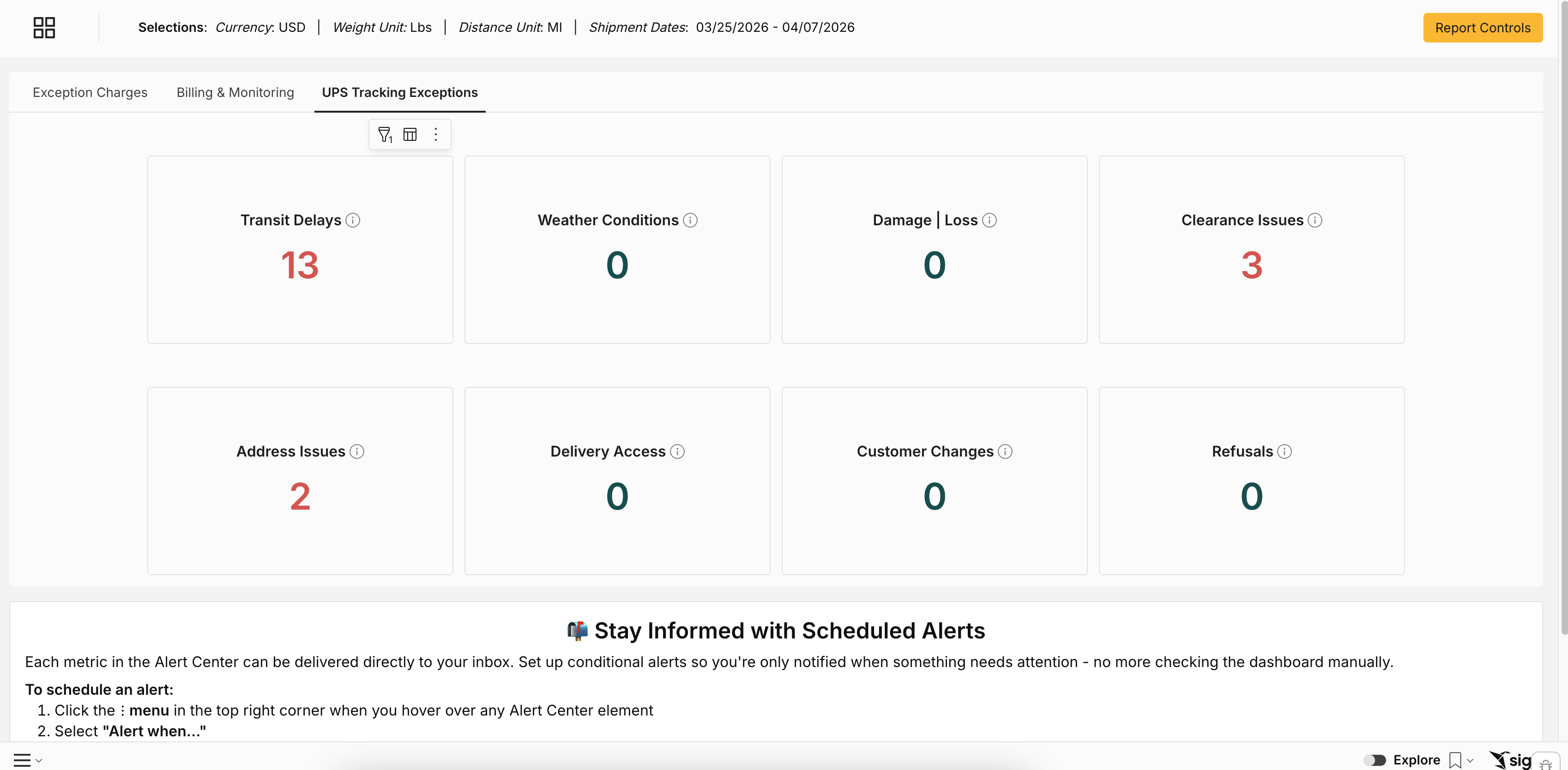
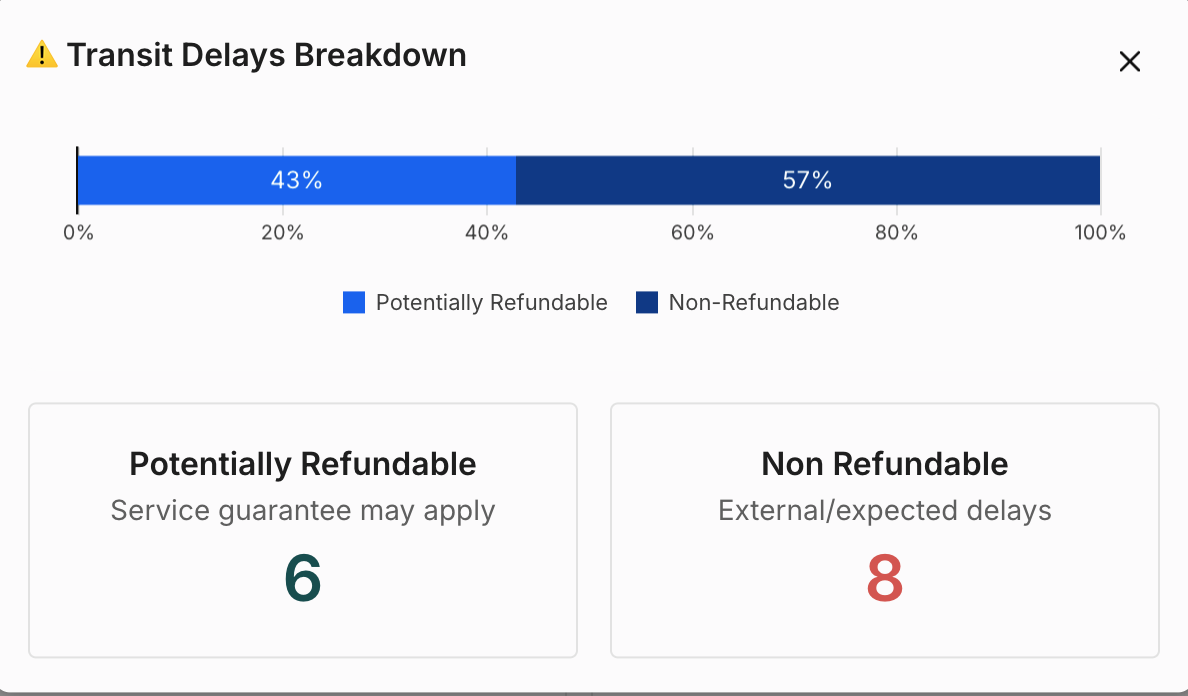
This tab breaks down UPS shipments that encountered a problem in transit — and tells you which are potentially refundable vs. non-refundable.
Hover over any exception box and click the table icon to see the underlying shipment detail, including the refundable breakdown.
Exception type | What it means |
Transit Delays | Packages delayed by network disruptions |
Weather Conditions | Packages impacted by severe weather |
Damage / Loss | Packages reported as damaged, lost, or with missing merchandise |
Clearance Issues | Packages delayed at customs |
Address Issues | Delivery problems caused by incorrect addresses |
Delivery Access | Failed delivery due to business closure, signature requirements, or access restrictions |
Customer Changes | Delivery modifications requested by the shipper or recipient |
Refusals | Packages refused by the recipient |
How to use it: Focus on refundable exceptions first — these represent money you can recover. Drill into the underlying data to get shipment-level detail for filing claims.
Setting Up Alerts
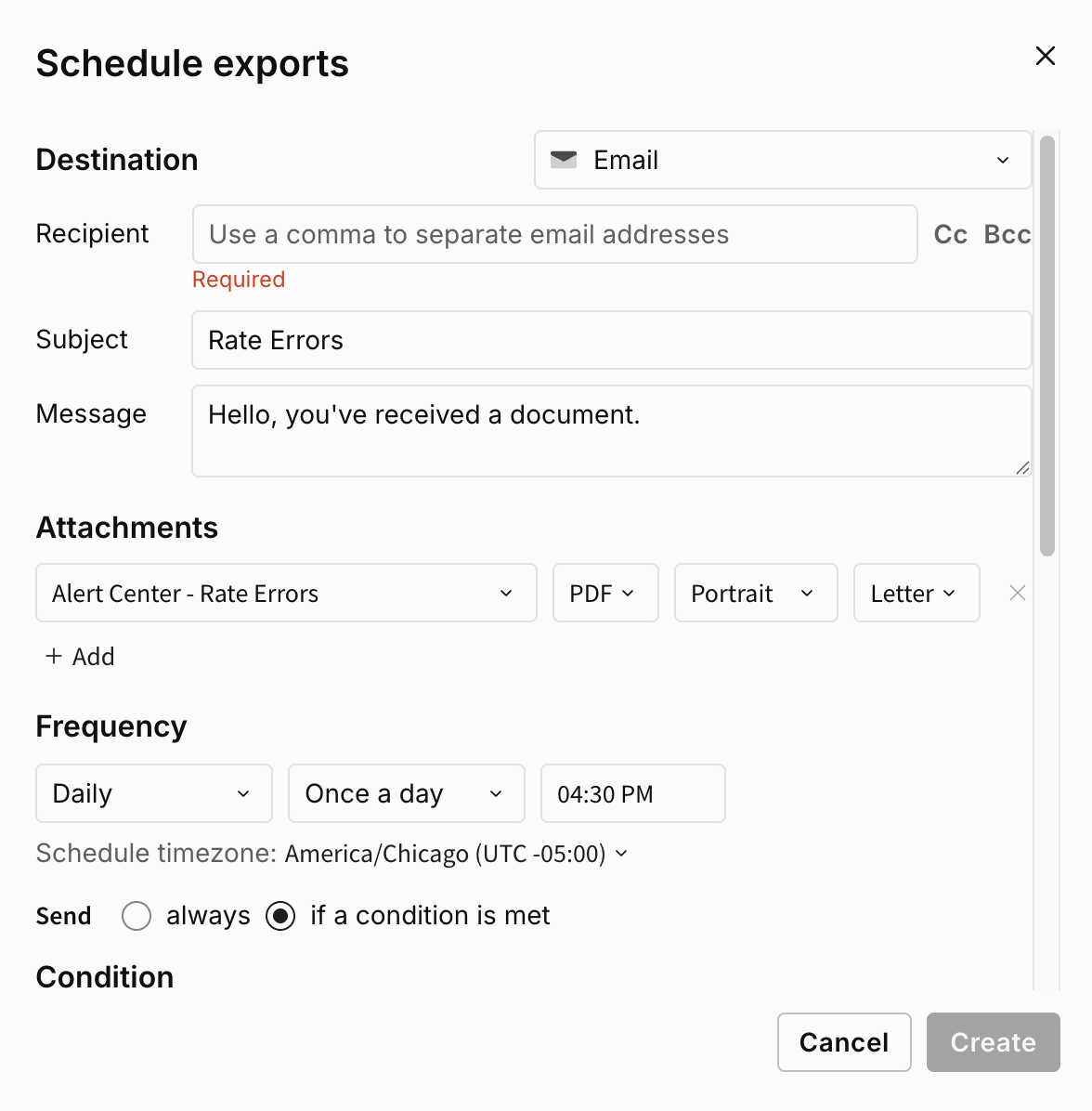
Every metric in the Alert Center can be delivered to your inbox automatically.
To set up a conditional alert:
Hover over any element in the Alert Center
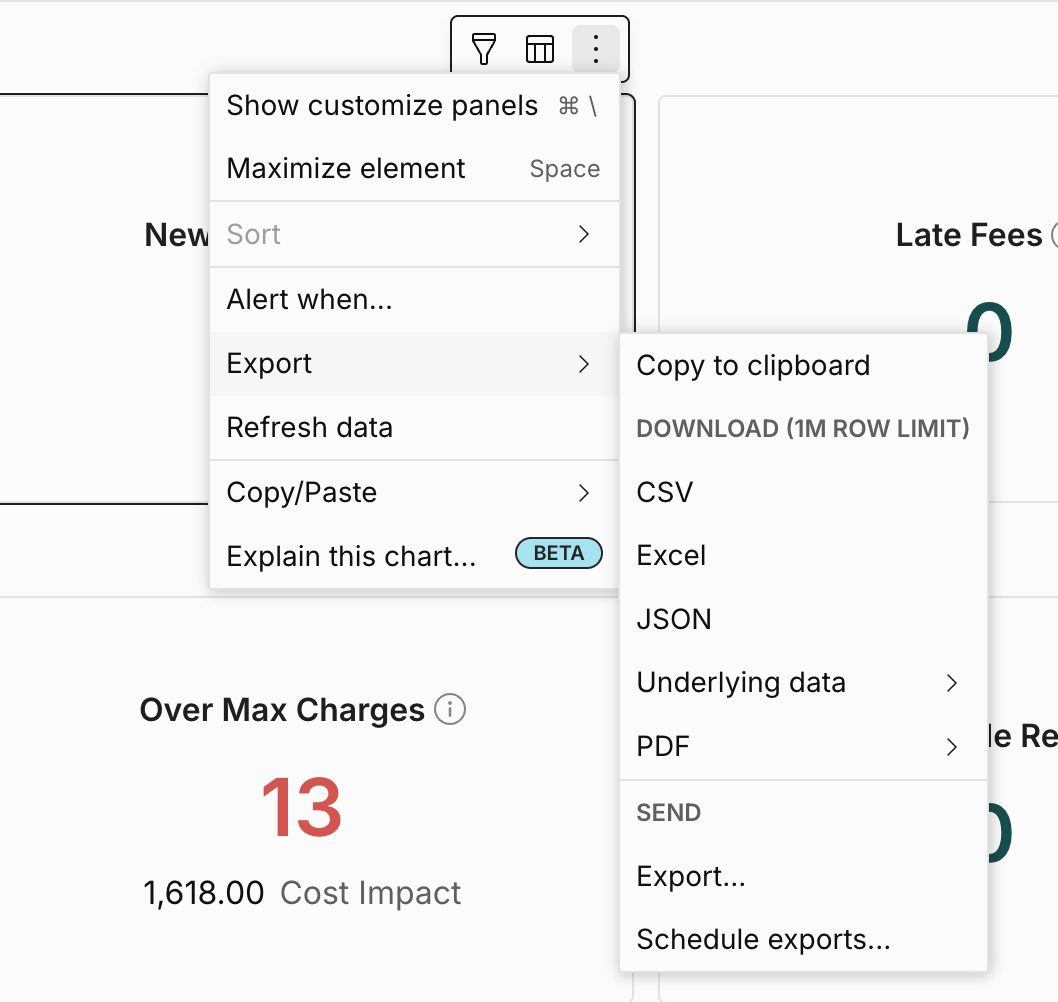
Click ⋮ → "Alert when..."
Set your recipient, frequency, and format
Select "if a condition is met" and define your threshold
Click Create
Recommended alerts to set up first:
Alert | Suggested condition |
New Accessorials | Greater than 0 |
Duplicate Billed Charges | Greater than 0 |
Rate Errors | Greater than 0 |
Potential Fraud | Greater than 0 |
New Accounts | Greater than 0 |
Common Use Cases
Catching a new carrier fee before it becomes routine: New Accessorials shows 14 in the Alert Center. Drilling in, you see a carrier started charging a "Remote Area Delivery" fee on rural shipments — a fee not in your contract. You flag it to your carrier rep and recover the charges before the next invoice cycle.
Recovering duplicate charges: Finance runs their weekly review and sees 6 Duplicate Billed Charges totaling $1,240. They submit a claim directly to the carrier that same day.
Auditing expedited shipping spend: Your CFO asks why freight costs were up last quarter. You open Billing & Monitoring → Expedited Shipping Charges and find $18,000 in Next Day Air Early charges — 80% from one warehouse location. That becomes a conversation about shipping cutoffs and ground eligibility.
Flagging unauthorized shipping activity: Potential Fraud shows 3 collect charges where your company name doesn't appear in the sender or receiver details. You investigate and find an ex-employee's account number was still active.