Finance Report
Last updated: April 10, 2026
Outbound payment activity and invoice tracking
Availability: The Payments tab is available to customers where Loop is managing carrier payments on your behalf. Past Due Invoices is available to all Loop users.
Filters: Use Page Controls in the top right to update the date range for this report.
What It Is
The Finance report gives you visibility into your outbound payment activity — what's been approved, what's scheduled, what's been initiated, and what's completed. It also surfaces past-due invoices so nothing slips through.
Who should use this: AP and finance teams tracking payment status, controllers and CFOs monitoring payment velocity and past-due exposure, operations teams reconciling carrier payments.
Payments Tab
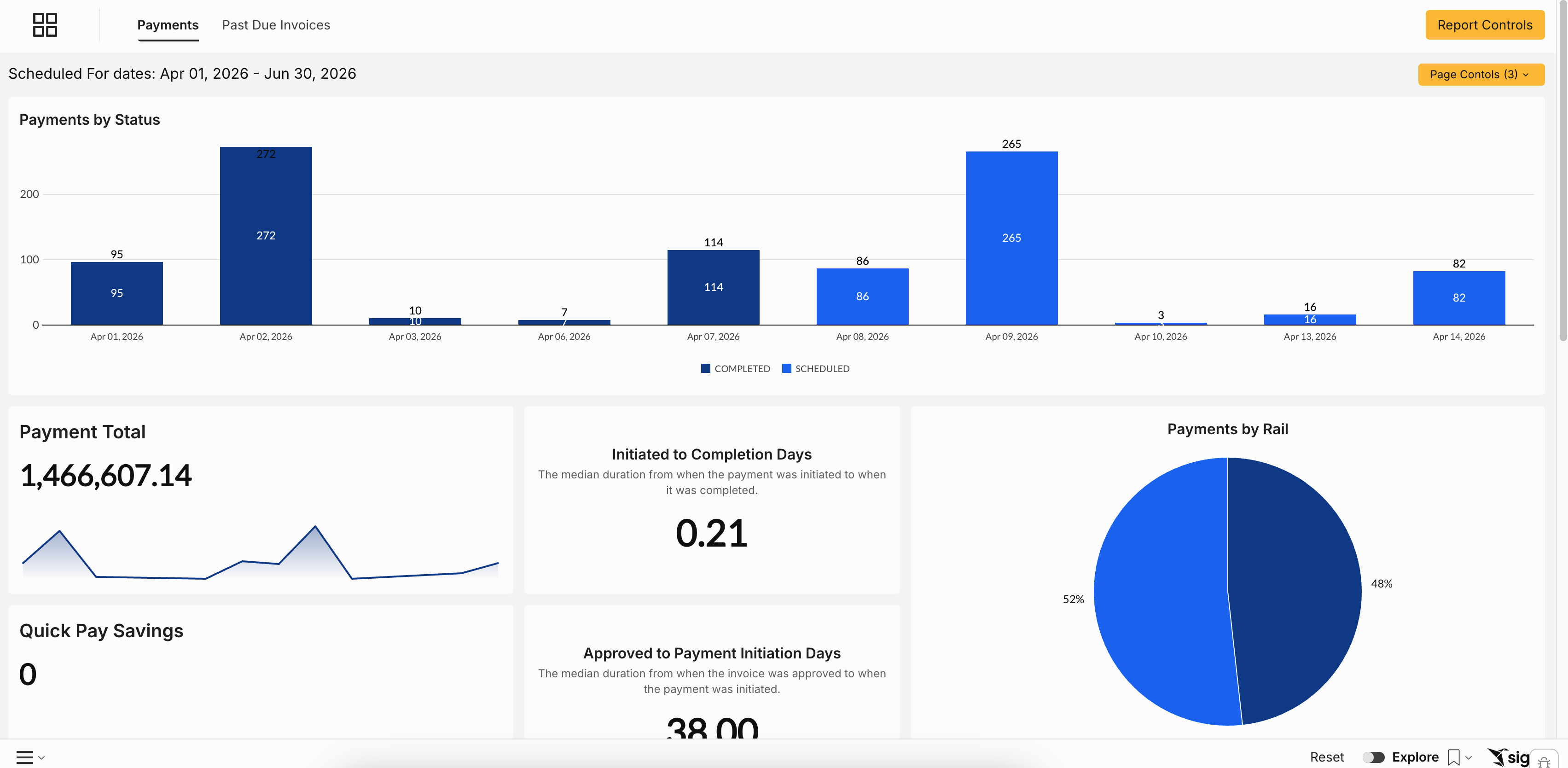
Payment by Status
A pie chart showing the current breakdown of payments across all statuses — approved, scheduled, initiated, and completed — for the selected month.
Processing Time Metrics
Metric | What it shows |
Initiated to Completion Days | Median days from when a payment was initiated to when it was fully completed |
Approved to Payment Initiation Days | Median days from invoice approval to when the payment was initiated |
How to use it: If Approved to Initiation Days are creeping up, there's a processing bottleneck between approval and payment. If Initiated to Completion Days are high, the delay is likely on the banking or carrier-receipt side. Use these to benchmark your payment cycle over time.
Payment Status Table
A detailed breakdown of all payments by status: Approved, Scheduled, Initiated, and Completed. Filter to any month and the table and pie chart update together.
Failed Payments
A dedicated section at the bottom of the tab surfaces any payments that failed to process.
How to use it: Check failed payments weekly. A failed payment that goes unnoticed can result in late fees or shipment holds from the carrier.
Past Due Invoices Tab
Available to all Loop customers.
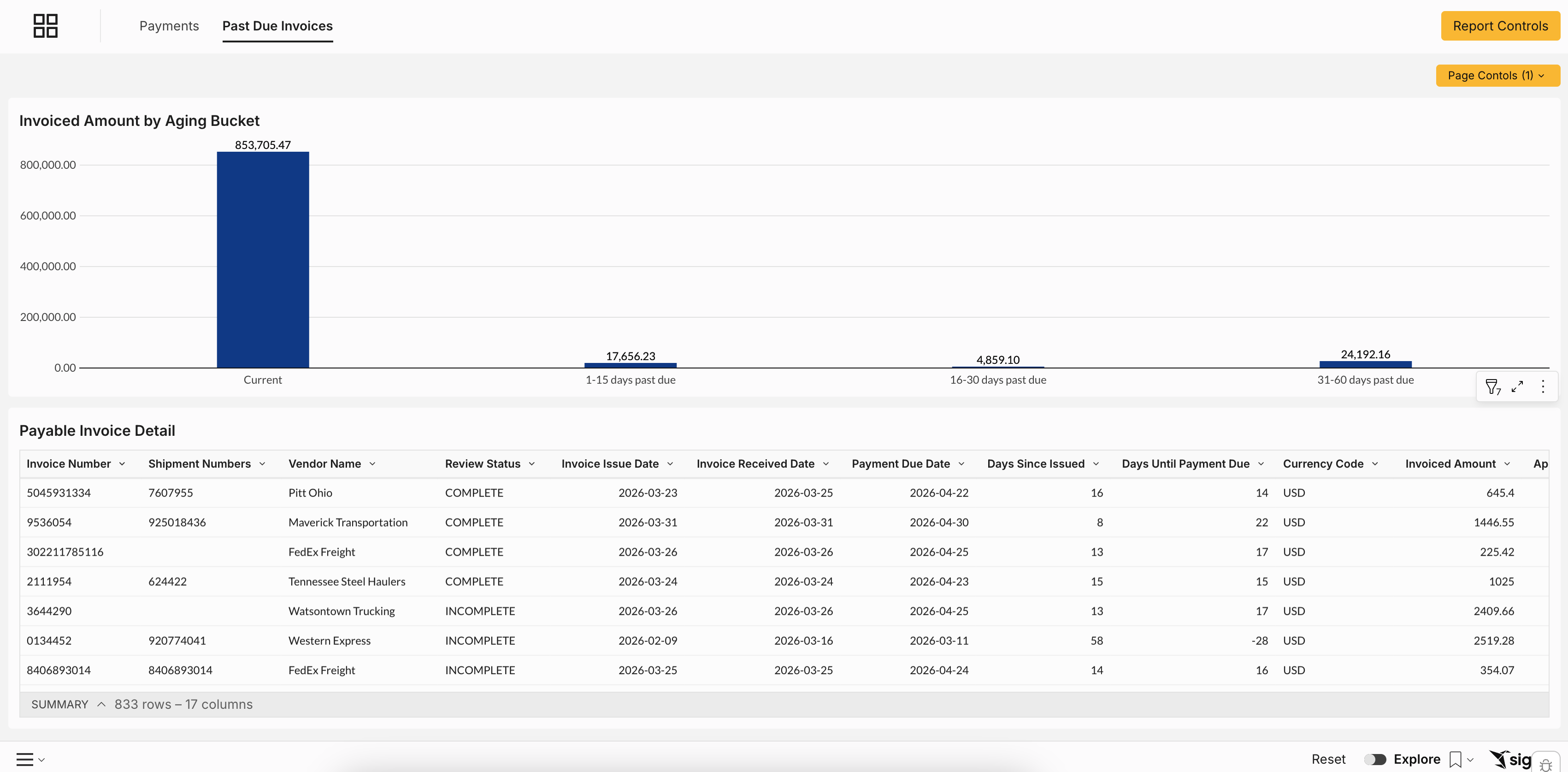
This tab highlights invoices that have passed their due date, organized by aging bucket so you can prioritize which need attention first.
What you'll see:
Invoiced amount by aging bucket — 0–30 days, 31–60 days, 61–90 days, and 90+ days past due (based on your agreed-upon net terms with each carrier)
Payable invoice details — carrier, invoice number, amount, due date, and current status
How to use it: Use the aging buckets to triage. Anything in the 61–90 day or 90+ bucket should be escalated immediately — carriers may begin holding shipments or adding late fees. The 0–30 day bucket is your opportunity to get ahead of issues before they become urgent.
Common Use Cases
Month-end payment reconciliation: Open the Payments tab → filter to the prior month → export the payment status table. You have a complete record of every payment Loop processed, ready for month-end close.
Investigating a processing delay: Your Approved to Initiation Days metric jumps from 2 to 6 days. You investigate and find a batch of invoices was held in the approval queue over a holiday. You clear the backlog and set up an alert so it doesn't happen again.
Catching a past-due invoice before a carrier hold: You review Past Due Invoices on Monday morning and find a $14,000 invoice that's 58 days past due. You escalate to AP that day — two days before it would have triggered a shipment hold.