Report Builder
Last updated: April 10, 2026
Build your own shipment-level reports, no technical skills required
What It Is
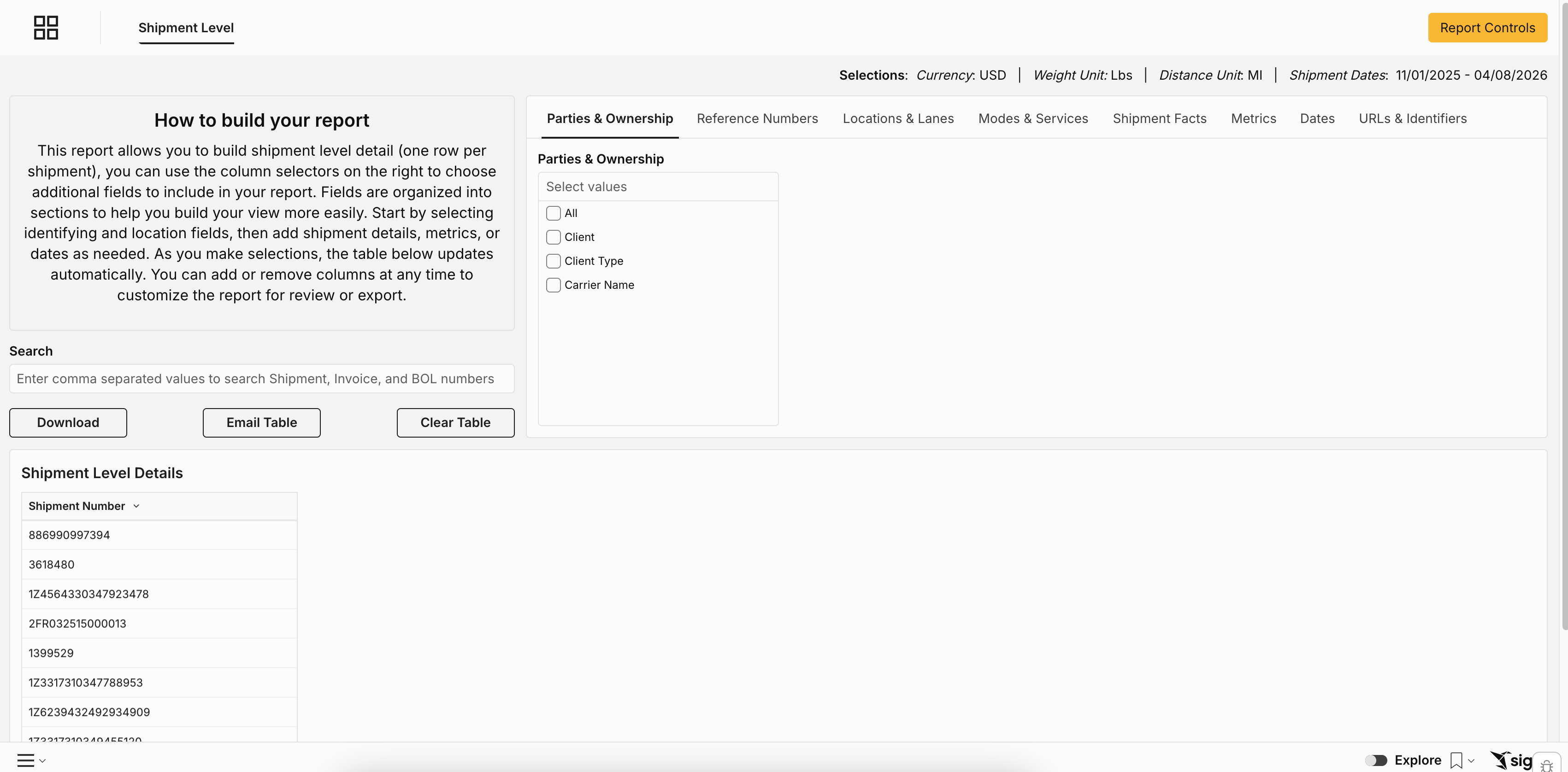
The Report Builder lets you create custom reports from scratch using shipment-level data — one row per shipment. You choose which fields to include, how to filter the data, and how to organize the output. No SQL, no formulas, no IT ticket required.
Who should use this: Anyone who has ever exported data from Loop and reformatted it in Excel — this replaces that workflow. Operations and finance teams who need recurring reports for specific carriers, lanes, or date ranges.
How to Build Your Report
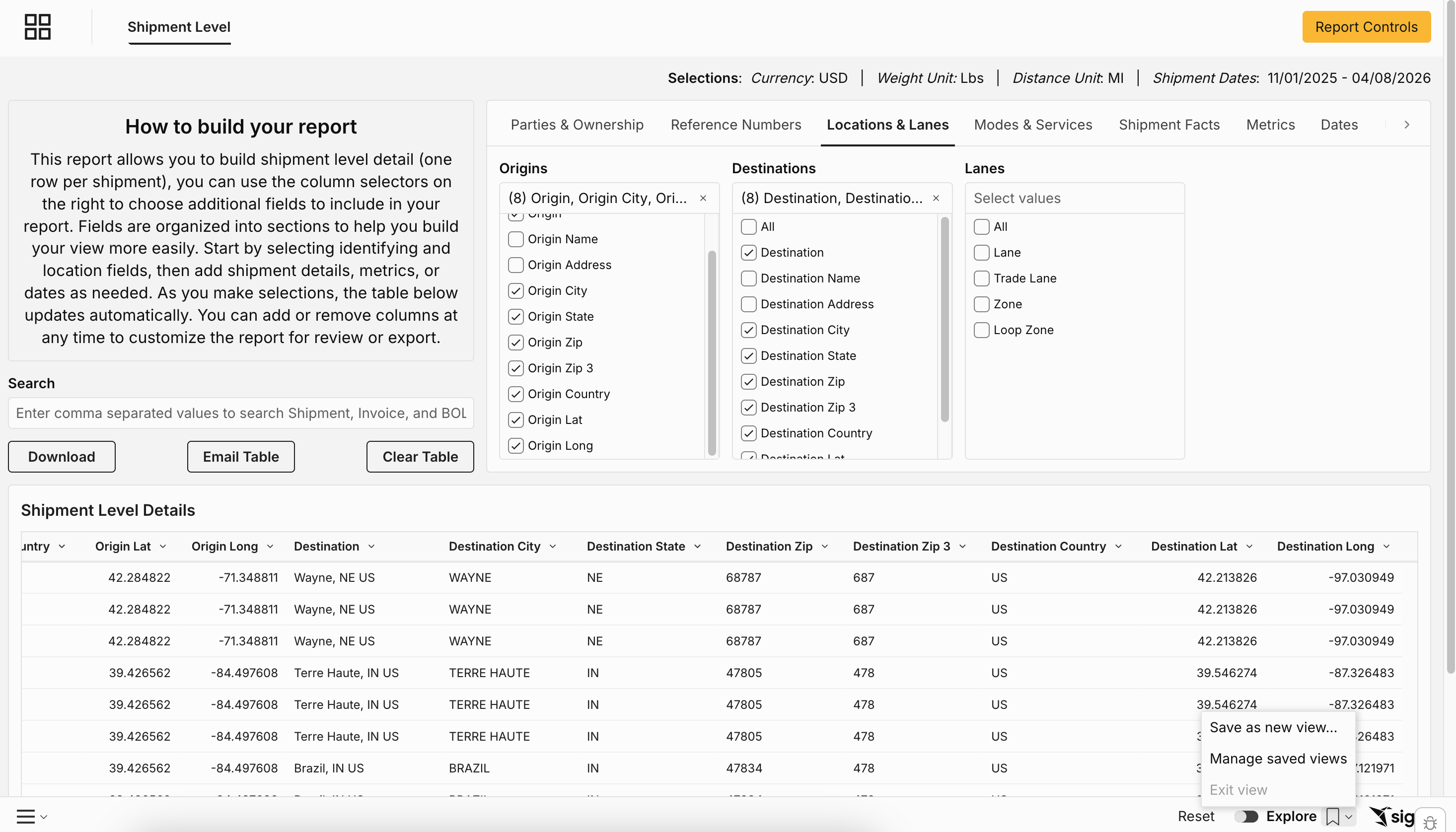
The Report Builder starts with a blank table. Use the column selector panel on the right to choose which fields to include. Fields are organized into logical groups:
Identifying fields — tracking numbers, invoice numbers, reference numbers
Location fields — origin and destination city, state, ZIP, country
Shipment details — carrier, mode, service level, weight, dimensions
Metrics — total spend, freight charges, fuel, accessorials, cost per pound
Date fields — ship date, invoice date, delivery date, payment date
As you select fields, the table updates automatically. Add or remove columns at any time.
How to use it: Start with the identifying and date fields to set your scope, then add the metrics or details you need. Most useful reports need fewer columns than you think — start narrow and add more if needed.
Saving, Sharing, and Exporting
To save your report: Save it as a named custom report — it will appear in the All Reports tab for anyone you share it with.
To export or email your report:
Click "Email" to send the current view directly from Intelligence
Click "Download" to export as CSV or Excel
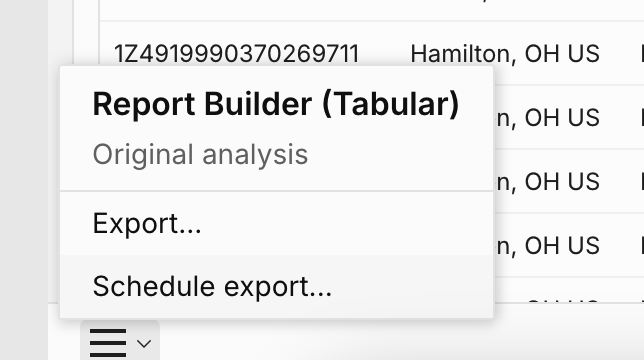
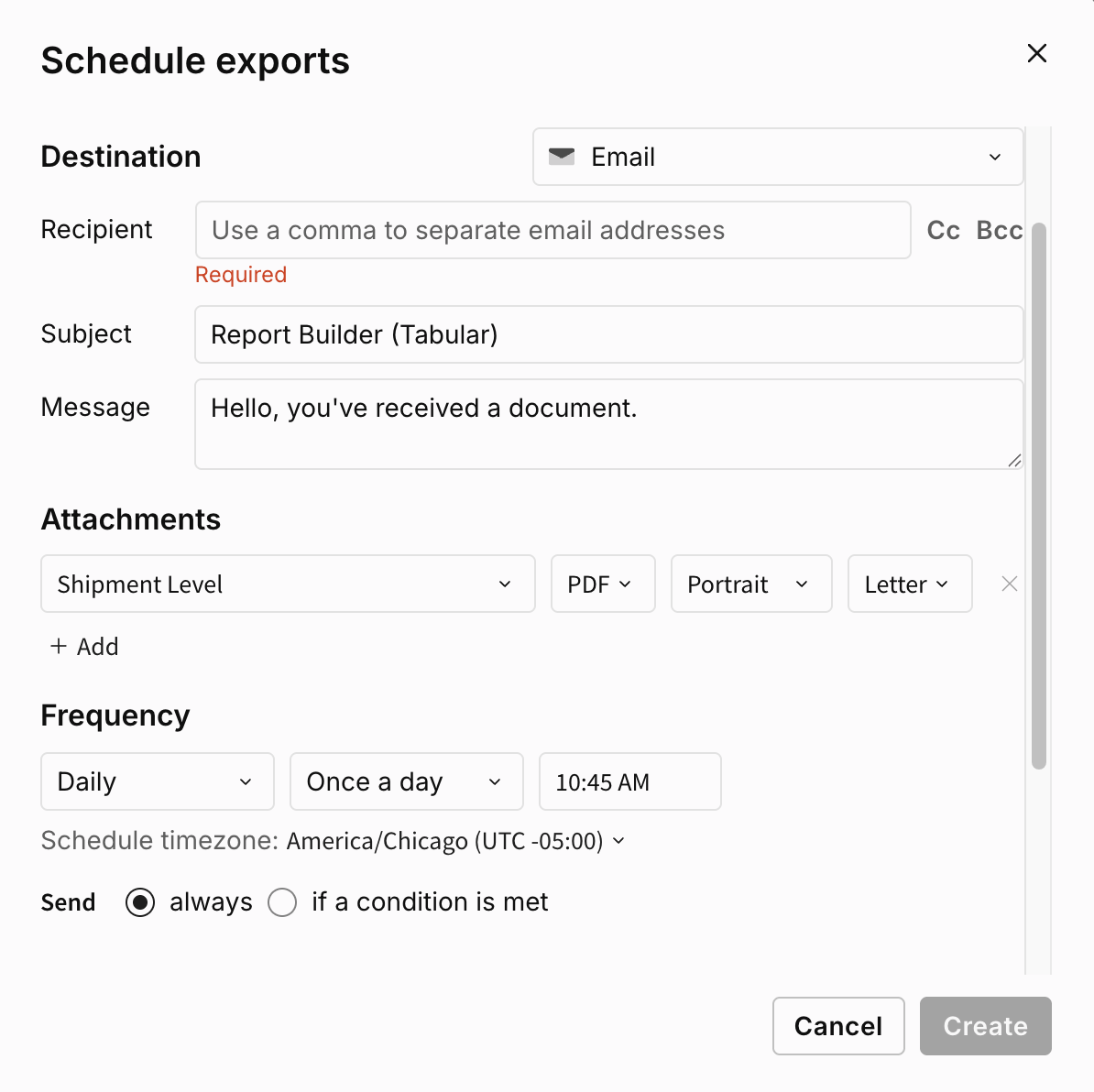
To schedule recurring delivery: Set up a scheduled export so your report runs automatically on a daily, weekly, or monthly cadence and lands in the right inbox — no manual effort required.
Tips
Start with fewer columns — a clean 8–10 column report is more useful than a 40-column export
Save before you schedule — you need to save the report before you can set up a scheduled export
One row per shipment — the Report Builder is designed for shipment-level detail; for summarized views, use Supply Chain Intelligence