Standard Reports
Last updated: April 10, 2026
Pre-built reports tailored to your Loop services
What It Is
Standard Reports are pre-built reports tied to the specific modes and services you have with Loop. Think of this as your general-purpose reporting library — organized by data set, ready to filter and explore without building anything from scratch.
What you see here is tailored to your account. You'll only see reports relevant to what Loop manages for you — if you're parcel-only, you won't see LTL reports. If Loop manages your parcel claims, you'll see a claims report others won't.
Who should use this: Anyone looking for a ready-made starting point for a specific mode, carrier, or service area.
Note for customers who joined before April 2026: The Standard Reports tab includes reports transitioned over from the previous reporting platform. These are the same reports you're familiar with, now inside Intelligence with updated filtering and export capabilities.
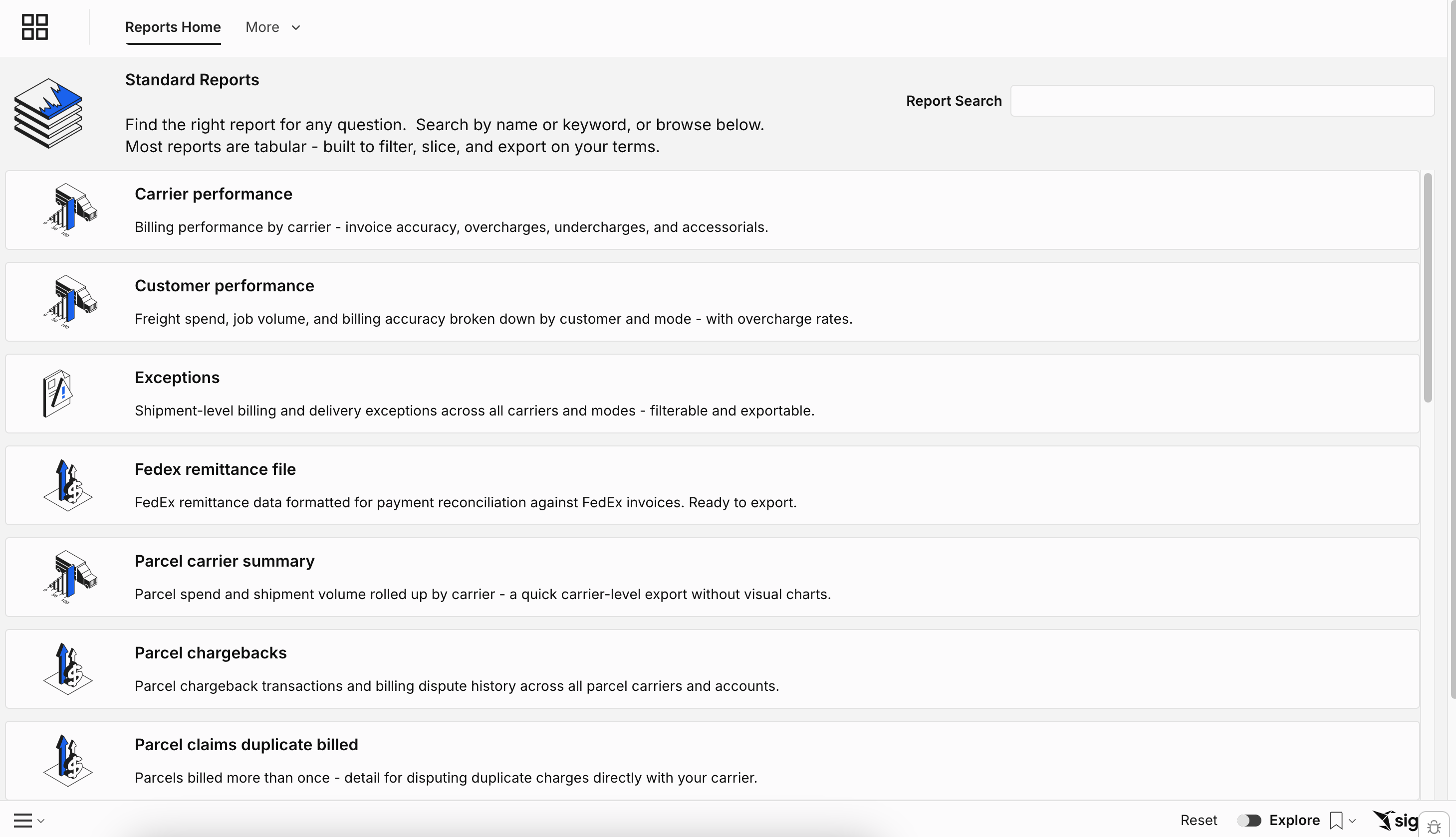
Examples of Standard Reports
Report | What it shows | Who it's for |
Carrier Performance | On-time rates, compliance metrics, and overcharge rates by carrier | Transportation managers, carrier relations teams |
Exceptions Report | Billing and delivery exceptions specific to your modes and carriers | Audit teams, AP, operations |
Parcel Claims | Claims submitted, status, and recovery amounts | Available if Loop manages your parcel claims program |
Mode-Specific Reports | LTL, FTL, Air, Ocean, Rail, and Warehousing detail | Available based on your active Loop services |
How Standard Reports Work
Standard Reports use the same filtering and export tools as every other report in Intelligence:
Use Report Controls to adjust date ranges and other filters
Use Drill Through to access the underlying shipment data
Use the export or schedule options in the report menu to share results with your team
How to use these alongside other reports: Standard Reports work best as a complement to the Alert Center and Supply Chain Intelligence — not a replacement. Use Supply Chain Intelligence for top-level trends and strategy, the Alert Center for exception monitoring, and Standard Reports when you need a specific data set for a specific purpose.